You’ve probably heard that SEMrush (now officially “Semrush“) has rolled out new AI toolkits, bundles, and pricing. If you’re already paying for it, or deciding between Semrush vs Ahrefs, Moz, or a stack of smaller tools, you’re likely wondering:
Did Semrush just get better, or just more expensive?
This review walks through what’s actually changed, how it affects your day-to-day workflows, and whether Semrush is still worth it for you after the latest updates.
Quick Verdict: Is SEMrush Still Worth It After The Recent Changes?

If you live in Semrush all day for SEO, content, and competitive research, it’s still one of the strongest all‑in‑one platforms out there. The recent changes mainly do three things:
- Add AI layers on top of existing SEO tools
- Bundle more features into new “Semrush One“ packages
- Increase prices and fragment add-ons into separate “toolkits”
High-level verdict:
- Still worth it for: SEO pros, in‑house teams, and agencies that want a single source of truth for SEO + content + competitive intel and are ready to pay for it.
- Borderline / maybe not worth it for: solo users and very small teams that can’t justify $139.95+/month or don’t need advanced AI visibility features.
Fast Pros & Cons (post-update)
Pros
- Deep, battle-tested SEO and competitive data
- New AI Visibility Toolkit helps you track visibility in ChatGPT, Gemini, Perplexity
- Toolkits let you assemble a stack (SEO, Local, Social, Advertising) in one place
- 14‑day trial on many plans, so you can pressure-test it against your current stack
Cons
- Entry price is high ($139.95/mo Pro: $199/mo Semrush One Starter)
- Toolkits and user seats add up fast
- Can feel overwhelming if you only need 2–3 features
- PDF/white-label reporting still paywalled on higher/extra packages
Bottom line: if SEO and competitive research are core to your growth, Semrush is still a top-tier option. But if you’re mostly doing light blogging or local SEO on a tight budget, you’ll probably feel the price jump more than the AI gains.
What’s Actually New In SEMrush Right Now
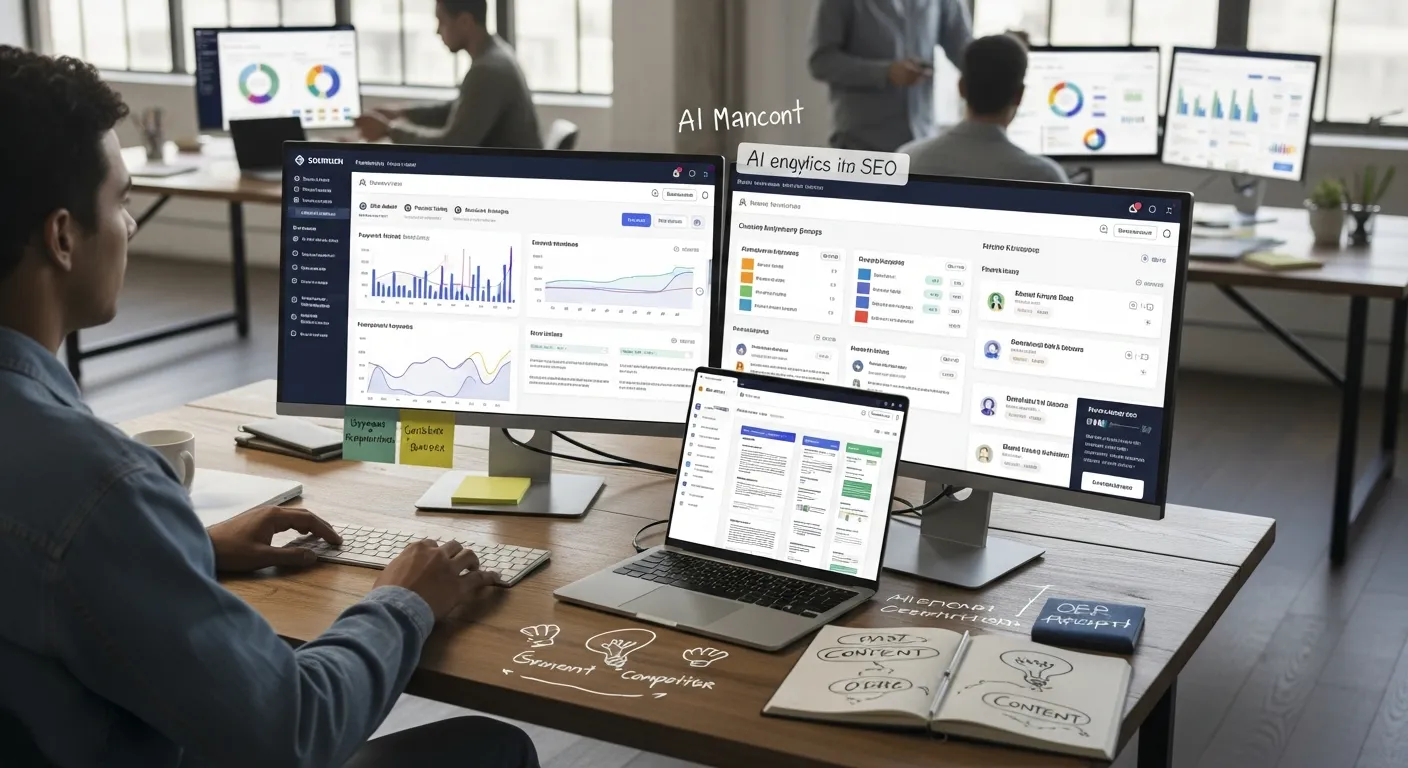
Semrush hasn’t radically changed its interface or core tools. The big shift is how it’s bundling and layering AI across the platform.
New And Updated SEO Features
The core SEO toolset is still familiar, keyword research, Site Audit, Position Tracking, backlink analysis, but with updated limits and AI extras:
- Higher limits on main plans:
- Pro: 5 projects, 500 tracked keywords, from $139.95/mo
- Guru: 15 projects, 1,500 keywords, from $249.95/mo
- Business: up to 5,000 keywords, from $499.95/mo
- AI SEO Toolkit (from ~$99/mo) adds:
- AI help with cluster creation and on-page suggestions
- Smarter prioritization of issues in audits
- AI Visibility Toolkit (often bundled in Semrush One) tracks how your brand shows up in ChatGPT, Gemini, and Perplexity, which is a big deal if you’re thinking beyond classic blue-link SEO.
In practice, this means you can still run your normal SEO workflows, but now you also get signals around AI search exposure without bolting on a separate tool.
Changes To Content And Competitive Research
Content marketing is where Semrush has leaned into AI the most:
- AI-driven sentiment and strategy recommendations layered onto content and topic tools
- Keyword Magic Tool has become more intuitive over time, better grouping, filters, and data slices for long-tail content planning
- Competitive and market intelligence are now partly bundled into the Traffic & Market Toolkit (~$290/mo), so deep competitor research is drifting into higher spend territory.
If you’re doing serious content-led growth, the combo of keyword data, SERP analysis, and AI suggestions is strong. But it’s easy to overspend if you switch on every toolkit “just to try it.“
UI, Workflow, And Reporting Improvements
The interface hasn’t been totally redesigned, which is a good thing if your team already knows their way around Semrush.
Recent tweaks are more evolutionary than flashy:
- Smoother navigation between projects and toolkits
- Incremental improvements in report templates
- Continued push toward PDF reporting and white-labeling via the paid Agency Kit (from ~$69/mo)
For you, that means no painful relearning curve, but you still need to pay attention to which reporting features sit behind which add-on.
Want to compare SEO tools side-by-side?
Jump into our Best SEO Tools for Marketers hub where you can see pricing tiers, feature differences, and alternatives instantly.
Pricing, Limits, And Plan Changes You Need To Know

Semrush pricing is where many teams are feeling the changes most.
Core Plans & Bundles (High-Level)
Pricing is approximate and can change, always double-check the official Semrush pricing page.
| Plan / Bundle | Starting Price (Monthly) | Key Highlights |
|---|---|---|
| Pro | $139.95 | 5 projects, 500 keywords, core SEO tools |
| Guru | $249.95 | 15 projects, 1,500 keywords, more historical data |
| Business | $499.95 | Up to 5,000 keywords, larger sites & agencies |
| Semrush One Starter | $199 | Pro + AI Visibility for 5 sites / 500 keywords |
| Semrush One Pro+ | $299 | Higher limits, more AI features |
| Semrush One Advanced | $549 | For bigger teams needing broader coverage |
| AI SEO Toolkit | ~$99 | AI assistance on top of SEO tools |
| Local, Social, Advertising | $20–$99+ each | Channel-specific add-ons |
| Traffic & Market Toolkit | ~$290 | Deeper competitive and market analysis |
Other pricing details:
- Annual billing gets you roughly 17% off (e.g., Pro down to ~$117/mo)
- Additional users run about $45–$100 per seat, depending on tier
What this means for you:
- If you’re a solo consultant or micro-team, the jump from $100-ish SEO tools to $140–$200+ for Semrush (plus add-ons) can feel steep.
- For in‑house teams or agencies, the cost is easier to justify if you consolidate multiple tools into Semrush and actually use the AI and reporting features.
How The Recent Changes Impact Real Marketing Workflows
Solo Users And Freelancers
If you’re a freelancer running SEO and content for a handful of clients:
- Pro (or Semrush One Starter if you care about AI visibility) is usually enough.
- The 500 keyword limit gets tight if you track multiple markets or languages.
- The AI layers help most with:
- Prioritizing technical issues for smaller sites
- Quickly generating content outlines and brief ideas
The catch: if you’re billing low retainers, Semrush can eat a big chunk of your margin. In that case, pairing lighter tools (e.g., Moz Pro for cheaper tracking + SurferSEO for on-page) might make more financial sense.
In-House Marketing Teams
For in‑house teams, especially B2B SaaS or ecommerce:
- Guru or Semrush One Pro+ tends to be the sweet spot.
- You get enough projects and keywords for multiple properties, plus better historical and traffic data.
- The new AI Visibility data is helpful if leadership is asking, “How are we showing up in AI search?”
Workflows that benefit most:
- Monthly reporting: pulling rankings, traffic estimates, and competitor moves into one deck
- Cross-team planning: SEO, paid, and content working from shared keyword and competitor data
- Technical SEO on JS-heavy sites: higher tiers handle this better.
Agencies And Consultants
If you manage dozens of clients, Semrush is still built with you in mind:
- Business / Enterprise tiers + Agency Kit for white-label reports, client portals, and API access
- Toolkits let you sell add-on services (local SEO, social, PPC) using one backend
But:
- Seat pricing and toolkit stacking can get painful if you’re not careful.
- You’ll want clear internal rules: which clients get Semrush tracking, which only get lighter monitoring, and when an extra toolkit is actually billable.
Strengths, Weaknesses, And Trade-Offs After The Updates
Strengths
- One of the most complete SEO + competitive research suites in one login
- New AI features are genuinely useful for prioritization and visibility tracking, not just gimmicks
- Stable, familiar UI that doesn’t wreck your existing workflows
- Flexible toolkits let you extend into local, social, and advertising without separate tools
Weaknesses & Trade-offs
- Higher entry price and more upsells than before
- Some of the best stuff (AI visibility, deep market data, white-label reports) sits in bundles or add-ons
- Overkill for light blogging or simple local SEO
So the trade-off is simple: you’re paying extra for integrated data and AI convenience. If you’re not going to lean into that, you’re probably overspending.
Who SEMrush Is (And Isn’t) A Good Fit For Now
Great fit if you’re:
- A freelancer or small agency with SEO-led retainers where better data = higher fees
- An in‑house growth or content team that needs one main source of truth for SEO, content, and competitor intel
- An agency that wants to standardize reporting and sell multi-channel services from one platform
Probably not for you if you’re:
- Doing basic local SEO for a few brick-and-mortar businesses on a tight budget
- A founder running one simple site who mostly blogs and runs a few ads
- Happy using a mix of cheaper single-purpose tools and don’t mind extra complexity
If you mostly need “Am I ranking? and basic keyword ideas, cheaper tools and even a collection of free options will get you far enough without Semrush-level spend.
If Semrush feels like too much tool (or too much money), here are the main alternatives worth a look.
How to choose:
You can also mix and match, e.g. Semrush Pro + SurferSEO, if you’re okay running a slightly more complex stack in exchange for tighter spend.
Recent Semrush changes focus on AI and packaging, not a total rebuild. Core SEO tools (keyword research, Site Audit, Position Tracking, backlinks) are intact, but you now get AI SEO and AI Visibility toolkits, higher plan limits, and new Semrush One bundles that combine multiple toolkits—and increase the overall price.
For SEO pros, in‑house teams, and agencies relying heavily on SEO, content, and competitive research, Semrush is still worth it. The AI layers and all‑in‑one workflows provide strong value. For solo users, small local businesses, or light bloggers on tight budgets, the new pricing can be harder to justify.
Semrush’s entry Pro plan now starts around $139.95/month, with Guru at $249.95 and Business at $499.95. New Semrush One bundles (e.g., Starter at $199) include AI Visibility and higher limits. Additional toolkits (Local, Social, Advertising, AI SEO, Traffic & Market) and user seats add significant extra cost if you stack them.
The AI SEO Toolkit adds AI-driven cluster creation, content suggestions, and smarter issue prioritization in audits. The AI Visibility Toolkit tracks how your brand appears in tools like ChatGPT, Gemini, and Perplexity. Together, they help you prioritize work faster and understand both traditional and AI search visibility in one platform.
In this updated SEMrush review context, Semrush remains the most all‑in‑one option, covering SEO, content, PPC, and local/social. Ahrefs is often stronger for pure backlink work and link prospecting, while Moz Pro offers a friendlier price and simpler UI but less depth in competitive and market intelligence than Semrush.
Freelancers usually start with Pro or Semrush One Starter if AI visibility matters, though the 500‑keyword cap can feel tight for multi‑market tracking. In‑house teams (e.g., B2B SaaS or ecommerce) often land on Guru or Semrush One Pro+, which offer more projects, historical data, and better support for cross‑team SEO and content planning.
Best Alternatives To Consider If SEMrush Is Not A Match
Tool
Rough Price Range
Core Strengths
Best For
Ahrefs
Similar / slightly higher than Semrush
Backlink data, site audits, keyword research
SEO-heavy teams, link builders
Moz Pro
Lower entry vs Semrush
Simpler UI, solid rank tracking
Smaller teams, budget-conscious users
SurferSEO
Mid-range
On-page optimization, content scoring
Content teams focused on SEO-optimized copy
Frequently Asked Questions
What’s actually changed in Semrush recently?
Is Semrush still worth it after the latest updates?
How have Semrush pricing and plans changed?
What are the new Semrush AI toolkits and how do they help?
How does Semrush compare to Ahrefs and Moz after these changes?
Which Semrush plan is best for freelancers vs in‑house teams?