
Marketing automation workflows sound tidy when software companies explain them. Set a trigger, add a few emails, and suddenly your funnel runs itself. Reality is a little messier.
A good workflow can absolutely save time, speed up follow-up, and help you convert more leads without hiring three extra people. A bad one just automates awkward timing, stale messaging, and cluttered data. That’s why examples matter. You’re not just looking for ideas, you’re trying to figure out which automations are actually worth building for your team, budget, and customer journey.
In this guide, you’ll see practical marketing automation workflow examples for lead capture, onboarding, recovery, and retention, plus how to decide which ones deserve your attention first.
What Marketing Automation Workflows Do And Why They Matter

Marketing automation workflows are rule-based sequences that move people through a journey based on what they do, what they’ve told you, or where they are in your funnel. That could be as simple as sending a welcome email after a newsletter signup, or as layered as routing a high-intent lead to sales after they visit pricing twice, download a comparison guide, and request a demo.
What they really do, though, is reduce lag. And lag is expensive.
When someone fills out a form, starts a trial, or abandons a cart, there’s usually a short window where intent is highest. If your team responds two days later because everyone was busy, that moment is often gone. Workflows close that gap automatically.
That matters because the gains are measurable, not just operational. Nurtured leads have been shown to produce a 20% increase in sales opportunities compared with non-nurtured leads. Cross-sell campaigns can lift sales by 20% and profits by 30%. Cart recovery is another obvious example: when the timing and message are right, the ROI can be huge.
But not every automation deserves to exist. Some workflows look impressive in a platform demo and do very little in real life. If a sequence isn’t tied to a real behavior, a real handoff, or a real conversion point, it tends to become background noise.
That’s why the best teams treat workflows as part of a broader system, not a pile of disconnected emails. If you need a plain-English foundation before building anything more advanced, this beginner-friendly automation guide is a useful place to start.
You’re usually on the right track when a workflow does one of these jobs well:
- responds quickly to buyer intent
- personalizes follow-up based on behavior
- reduces repetitive manual work
- improves lead qualification or customer retention
- creates a cleaner handoff between marketing and sales
And yes, AI is changing this category. Better platforms now use predictive send times, lead scoring models, and content suggestions to make automations more adaptive. Still, the old rule holds: smart strategy beats fancy logic. Even the most advanced workflow engine can’t fix weak messaging or a fuzzy offer.
For broader changes in how automation and search behavior are evolving, publications like Search Engine Land regularly cover the overlap between AI, data, and digital marketing execution.
The Core Parts Of An Effective Workflow

A workflow doesn’t need to be complicated to be effective. In fact, simpler usually wins, especially if your team is small and the CRM is already a little chaotic. Most useful automations come down to a few core parts working together reliably.
Triggers, Conditions, And Actions
These are the building blocks.
A trigger is what starts the workflow. Someone submits a form, abandons checkout, signs up for a trial, clicks a product email, or visits a pricing page.
A condition decides what happens next. Are they an existing customer? Did they open the first email? Are they in the U.S.? Have they already booked a demo?
An action is the output: send an email, assign a lead owner, add a tag, update a score, create a task, suppress them from another sequence, and so on.
That logic sounds basic, but this is where workflows either become helpful or mildly annoying. If your conditions are too shallow, everyone gets the same generic sequence. If they’re too complex, your team ends up babysitting automation instead of benefiting from it.
A useful rule: build around decisions your team already makes manually. If sales always prioritizes leads who viewed pricing and requested a call, turn that into workflow logic. Don’t automate random platform capabilities just because they’re available.
Data, Timing, And Segmentation
The next layer is quality of input. Workflows are only as good as the data feeding them.
First-party data matters most here: form fields, page views, product usage, purchase history, email engagement, plan type, lifecycle stage. That information lets you send something more relevant than a generic drip sequence.
Timing matters just as much. An abandoned cart reminder sent within an hour makes sense. The same reminder three days later can feel clueless. Trial onboarding has a similar issue: if your first product education email arrives after someone already poked around and left, you missed your chance.
Segmentation is where many teams overdo it. You do not need 19 tiny branches on day one. Usually, a few meaningful splits are enough:
- new vs returning contact
- high intent vs low intent
- customer vs prospect
- SMB vs enterprise lead
- active vs inactive user
If your stack is fragmented, data quality becomes the real bottleneck. You can have a strong workflow builder and still get mediocre results if your CRM, forms, and email platform don’t talk properly. That’s where a practical integration plan matters more than another shiny automation template. This walkthrough on connecting your marketing stack for scale covers that side well.
For day-to-day marketers, this is the less glamorous truth: most workflow problems are data problems wearing a workflow costume.
Lead Capture And Nurture Workflow Examples
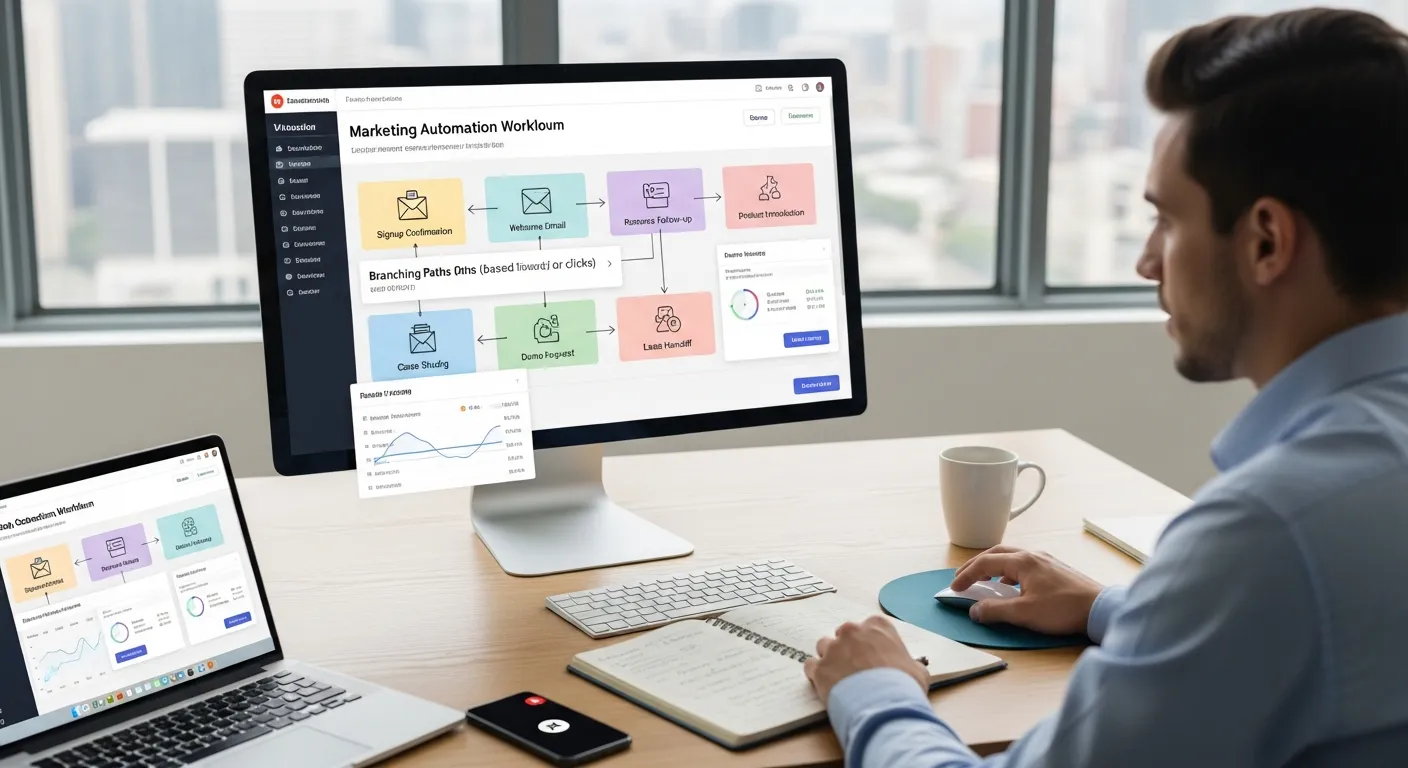
Lead capture workflows are usually the first automations teams build, and for good reason. They’re relatively easy to launch and often produce visible results fast. But the details matter. A welcome series, for example, can either build trust or train people to ignore you immediately.
Welcome Series For New Subscribers
This is the classic entry point. Someone joins your newsletter, creates an account, or opts in through a content form. The workflow begins right away.
A strong welcome series often looks like this:
- immediate confirmation and expectation-setting
- a follow-up email with your best resources or most useful content
- a third touch that introduces your product, service, or next step
- optional branching based on clicks or site behavior
The goal isn’t to cram your company story into three emails. It’s to establish relevance quickly. What will this person get from hearing from you? What should they do next? Why now?
This type of nurture can work especially well for content-led brands. Some campaigns have produced major lifts in first purchases when the sequence is tied to a clear offer and useful educational content. That tracks with what many marketers already see anecdotally: subscribers are most attentive right after signup, then attention drops off fast.
If your business relies heavily on organic traffic and educational content, resources from HubSpot’s marketing blog are often useful for benchmarking content-to-email journeys without leaning too hard into hype.
A small but important trade-off: don’t over-automate the tone. Plenty of welcome emails feel like they were assembled by five committees and a legal team. Even B2B buyers notice.
Lead Magnet Delivery And Follow-Up
This workflow starts when someone requests a checklist, template, webinar replay, report, or other lead magnet.
The first step is obvious: deliver the asset immediately. The second step is where the real value starts. Instead of stopping at one transactional message, use follow-up to learn more and qualify interest.
A practical sequence might look like this:
- Email 1: deliver the asset
- Email 2: explain how to use it or what to do next
- Email 3: share a related case study or example
- Email 4: invite a demo, consultation, or deeper resource if engagement is high
You can branch based on behavior. If someone downloaded an SEO checklist, visited product pages, and clicked a comparison article, that’s different from someone who grabbed a freebie and disappeared.
This is also a good place to collect better first-party data. A short follow-up survey, industry selector, or role-based click choice can improve later segmentation without making the first form too long. That’s usually a better experience than asking for seven fields upfront and watching your conversion rate sag.
Demo Request Or Contact Form Nurture
Demo and contact form workflows sit closer to revenue, so they deserve more care.
When someone asks for a demo, the workflow shouldn’t just send a calendar link and hope for the best. It should support the handoff.
A useful flow may include:
- immediate confirmation that the request was received
- internal alert to sales or the assigned rep
- lead scoring update based on source, company size, or page views
- reminder email if the meeting isn’t booked
- pre-demo content tailored to use case or role
Lead scoring can genuinely help here when it’s based on clear buying signals. One well-known case saw sales cycle length drop by 20% after stronger lead scoring and qualification workflows were introduced. That kind of gain usually comes from reducing wasted follow-up, not just adding points to a dashboard.
If you’re choosing between platforms for this kind of sales-meets-marketing workflow, the differences get real fast. Some tools are much better for email-first nurture, while others are stronger at CRM handoff and governance. These comparisons on HubSpot versus ActiveCampaign for workflow-heavy teams and ActiveCampaign versus HubSpot by budget and team fit are worth reviewing before you lock in a system.
One frustration to watch for: contact form nurture often breaks when ownership is unclear. The automation works, but the human follow-up doesn’t. That’s not a software issue. It’s a process issue.
Customer Lifecycle Workflow Examples
The best marketing automation workflows don’t stop at lead capture. They continue through onboarding, purchase recovery, retention, and expansion. That’s where automation starts affecting revenue efficiency, not just inbox activity.
Trial Onboarding And Activation
A trial signup is a high-intent moment, but it’s also fragile. People sign up with good intentions, get distracted, hit a setup snag, and disappear.
That’s why trial onboarding workflows should focus on activation, not company introductions. Your sequence should help users reach the first meaningful outcome quickly.
A practical trial onboarding workflow often includes:
- immediate welcome and login details
- a short setup guide based on role or use case
- behavior-based nudges if key actions aren’t completed
- product education tied to milestones, not random features
- a conversion prompt near the end of the trial
This is one area where behavior-based branching is especially useful. If a user completes setup on day one, don’t keep sending beginner emails. Move them toward advanced use cases or conversion messaging. If they stall, shift to troubleshooting and friction removal.
One case from TAGGUN reported a 28.9% lift in free-trial conversions using an abandoned signup form workflow. That’s a good reminder that activation work starts before full onboarding. Sometimes the biggest leak is the signup process itself.
Abandoned Cart Or Abandoned Signup Recovery
This is one of the highest-ROI workflow categories because intent is already there. Someone nearly bought or nearly signed up. You’re not manufacturing demand from scratch.
Timing is crucial. The first reminder usually works best within about an hour of abandonment. Follow-ups can then test urgency, social proof, support offers, or incentives like free shipping or a limited discount.
Here’s a common recovery structure:
Step Timing Purpose Reminder 1 Within 1 hour Bring them back while intent is fresh Reminder 2 24 hours later Reintroduce the product or signup value Reminder 3 48–72 hours later Add urgency, support, or incentive
This approach has produced outsized returns for some brands. Slazenger‘s cart recovery work is a widely cited example, with a reported 49x ROI across email, web push, and SMS. That doesn’t mean every team should instantly add three channels, though. If you haven’t nailed your email timing and message relevance, layering on SMS just gives you one more way to annoy people.
For marketers tracking how conversion behavior changes across channels and search environments, Search Engine Journal is one of the better sources for keeping up with practical shifts rather than just platform announcements.
Post-Purchase Upsell And Re-Engagement
Post-purchase workflows are often underbuilt, which is odd because this is where you’re talking to people who already trusted you enough to buy.
A solid post-purchase automation can do a few jobs at once:
- confirm the purchase and reduce buyer anxiety
- recommend complementary products or services
- encourage product adoption or repeat use
- invite reviews or referrals
- re-engage inactive customers later
The sequence depends on your business model. In ecommerce, you might suggest add-ons a few hours after purchase, then complementary products around day 7. In SaaS, you may focus more on activation, feature adoption, renewal cues, and expansion opportunities.
Research shows cross-sell automation can boost both sales and profits meaningfully, and some brands have reported large gains in customer lifetime value from well-timed post-purchase campaigns. The caveat is relevance. Upsells feel helpful when they solve the next problem. They feel lazy when they’re just the most expensive thing in your catalog.
And re-engagement deserves restraint. If someone ignored your last nine emails, the tenth “we miss you” message probably isn’t the breakthrough.
How To Choose The Right Workflows For Your Team
Picking the right workflows is less about copying a best-practices list and more about finding the stages in your funnel where delay, inconsistency, or dropped intent are hurting results.
Start with the obvious question: where does money leak?
If leads sit untouched after form fills, build a lead response workflow. If trial users sign up but never activate, focus on onboarding. If carts are abandoned at a high rate, recovery should move up the list. If customers buy once and vanish, post-purchase retention probably deserves attention before you build anything fancier.
A simple prioritization framework helps:
Workflow Type Best For Value Level Effort Level Welcome series Content-led brands, newsletters, lead gen Medium to high Low Lead magnet follow-up B2B demand gen, consultants, SaaS High Low to medium Demo/contact nurture Sales-assisted funnels High Medium Trial onboarding SaaS and product-led teams High Medium to high Cart/signup recovery Ecommerce, self-serve SaaS Very high Medium Post-purchase re-engagement Ecommerce, subscriptions, customer marketing High Medium
In practical terms, most teams should begin with two or three workflows, not ten. That gives you room to test timing, audience logic, and message quality before your automation map turns into spaghetti.
You should also match workflow ambition to team reality:
- Small teams or founders: prioritize simple, high-intent automations with fast payoff
- Mid-size marketing teams: build lifecycle branching and stronger segmentation
- Sales-led organizations: invest in lead scoring, routing, and CRM handoff
- Budget-conscious teams: avoid enterprise complexity unless you’ll actually use it
Who should avoid heavier workflow builds? Teams with messy data, unclear ownership, or no measurement plan. Not forever, just for now. If naming conventions are inconsistent, forms are duplicated, and nobody agrees on what counts as a qualified lead, automation will magnify the mess.
A useful gut check: if you can’t explain what success looks like for a workflow in one sentence, don’t build it yet.
And if you’re evaluating software alongside your workflow plan, don’t just ask whether a platform has automation. Almost all of them do. Ask whether it fits your actual workflow complexity, reporting needs, and internal skill level. That’s usually the difference between “worth it” and shelfware.
Conclusion
Marketing automation workflows are worth it when they solve a real bottleneck: slow lead follow-up, weak onboarding, missed recovery opportunities, or poor retention. They’re not worth much when they’re built as busywork.
If you’re deciding where to start, keep it practical. Pick one high-intent journey, map the trigger, define the outcome, and build the smallest useful version first. Then measure what changed.
That approach is less exciting than drawing a giant automation diagram. It’s also how teams end up with workflows that actually earn their keep.