



If you started your email marketing journey with Mailchimp, you’re not alone. For years, it’s been the default choice.
But as your funnels, data, and automation needs grow, that “default” starts to show real cracks in pricing, deliverability, and how fast you can actually move.
In 2026, your email platform isn’t just a newsletter tool. It’s a growth engine: driving lifecycle journeys, feeding your CRM, powering product-led growth, and increasingly, plugging into AI and analytics.
That’s why many marketers are finding Mailchimp too limited and too expensive for what they get.
This guide walks you through the best Mailchimp alternatives for modern marketers, how they differ, and how to migrate without breaking your funnel. You’ll see where tools like Brevo, ActiveCampaign, Omnisend, and others shine, and where Mailchimp still makes sense for simple use cases.
Building your stack?
Browse tools inside our interactive comparison hub to compare
pricing, integrations, and workflow fit →
Key Takeaways
- Modern Mailchimp alternatives can deliver better pricing, deeper automation, and stronger deliverability than Mailchimp’s legacy setup, especially as your list and funnels scale.
- Choosing the right Mailchimp alternative starts with clarifying five pillars: total cost of ownership, automation and AI, deliverability and compliance, UX and collaboration, and integrations with your CRM and data stack.
- Small teams and solo marketers can consider Brevo, MailerLite, or Moosend for simple email marketing and affordable automation.
- Growing SaaS and startups benefit most from automation-heavy platforms like ActiveCampaign, HubSpot, or GetResponse, which excel at lifecycle journeys, CRM alignment, and product-led growth workflows.
- Ecommerce and DTC brands typically outgrow Mailchimp fastest and see better results with Omnisend or Klaviyo, while creators and newsletter publishers prefer Kit or beehiiv.
A Short Note on How I Tested These Tools
The top 5 alternatives were tested hands-on through their free plans or trials, covering campaign creation, automation, pricing, and key features.
The other 5 tools were evaluated through a combination of testing and user reviews from reliable sources.
Pricing across this market shifts often; several plans referenced here changed more than once in 2026, so I suggest you confirm current pricing directly with the vendor before signing up.
Quick Comparison Table
| Tool | Best For | Free Plan/Trial | Starting Price | Main Pro | Main Con |
| Brevo | Overall Mailchimp replacement | ✓ | $9/month | Pay by email volume, not list size | Automation available on Standard plan |
| MailerLite | Simplicity on a budget | ✓ | $12/month | Easy to learn | Free plan was cut hard in 2026 |
| ActiveCampaign | In-depth automation+CRM | 14-day trial only | $15/month | The deepest automation builder on this list | Contact-based scales fast |
| Omnisend | Ecommerce | ✓ | $16/month | Native product feeds and cart-abandonment flows | Overkill if you don’t sell products |
| Kit | Creators and newsletters | ✓ | $39/month | Generous free tier | No free automation |
| Klaviyo | Advanced ecommerce personalization | ✓ | $20/month | Best-in-class segmentation on purchase data | Gets pricey fast |
| HubSpot | CRM+marketing in one system | ✓ | $20/seat | Sales-marketing alignment | Significant price jump from Starter to Professional |
| GetResponse | All-in-one with webinars/funnels | ✓ (Limited) | $19/month | Webinars and funnels bundled in | Pricing structure is confusing |
| Moosend | Budget automation | 30-day trial | $9/moth | Full feature set unlocked even on the cheapest paid tier | No forever free plan as of 2026 |
| beehiiv | Newsletter monetization | ✓ | $43/month | Built-in ad network and referral tools | Not built for general marketing/automation |
Don’t Have Time to Read the Full Article?
For most people leaving Mailchimp, Brevo is the strongest overall swap, with ActiveCampaign for automation, Omnisend for ecommerce, and Kit if you’re building a newsletter.
Check the full breakdown by use case in the Final Recommendation section near the end.
Why Marketers Are Looking Beyond Mailchimp
You’re not just “switching email tools” anymore; you’re choosing an automation and data layer for your entire marketing engine. That’s why so many teams are finally questioning whether Mailchimp is still the right core.
The big drivers:
- Inefficient billing and rising costs: Once you grow past basics, Mailchimp’s contact-based pricing gets punishing. You’re paying to store every contact, even if you’re barely emailing them.
- Limited automation depth: You can build basic journeys, but if you want robust lifecycle automation, advanced branching, or AI-enhanced flows, it’s easy to hit the ceiling.
- Deliverability concerns: When you’re seeing 82–95% inbox placement instead of consistently 98%+, that’s not a minor issue; it’s lost revenue.
- Support and UX friction: Slow response times and a UI that feels increasingly cluttered make experimentation harder than it should be.
At the same time, alternatives have matured fast. You now have:
- More flexible pricing (unlimited sends, pay-by-email instead of pay-by-contact).
- Stronger multi-channel (email + SMS + push) in one place.
- Better AI features for subject lines, send-time optimization, and content.
- Deeper ecommerce and CRM integrations that fit how you actually work.
If you feel like you’re spending too much time fighting your ESP instead of optimizing campaigns, exploring Mailchimp alternatives is overdue.
Best Mailchimp Alternatives for Email Marketing
1. Brevo
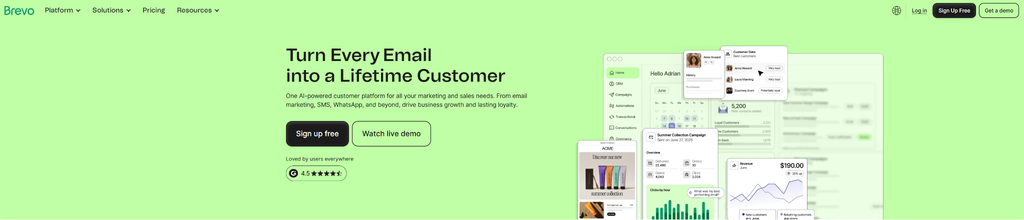
Brevo is an all-in-one email marketing platform that users highly praise. It’s user-friendly, affordable, and doesn’t have a steep learning curve.
It also flips the pricing logic that makes Mailchimp so frustrating. Mailchimp charges based on how many contacts are in your list, while Brevo charges based on how many emails you send each month.
My Experience Using It
Sign-up took me only a few seconds, and no credit card was required.
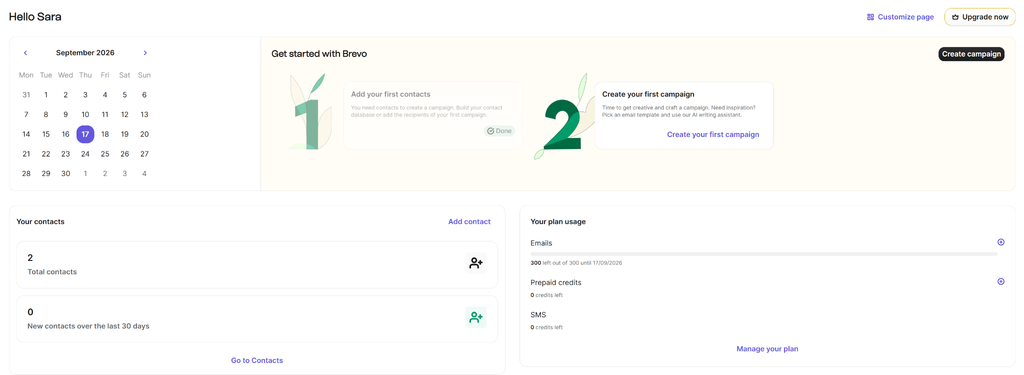
Creating contact lists is very simple and only takes a few seconds. Also, I love that they’re synced across email, SMS, and WhatsApp through Brevo’s unified Customer Data Platform.
That means you don’t have to export contacts to separate tools each time you need to send a WhatsApp or SMS campaign.
Then, I tested campaign creation to see how it differs from Mailchimp.
This is not significant, but I like that Mailchimp makes its ‘Campaigns’ section visible right away in the sidebar, while I noticed Brevo places it under ‘Marketing’. It can be slightly confusing at first if you’re trying to figure out how to start with campaigns.
To create a campaign, you can either generate it with AI or create it from scratch. Also, only email and SMS campaigns are available for free.
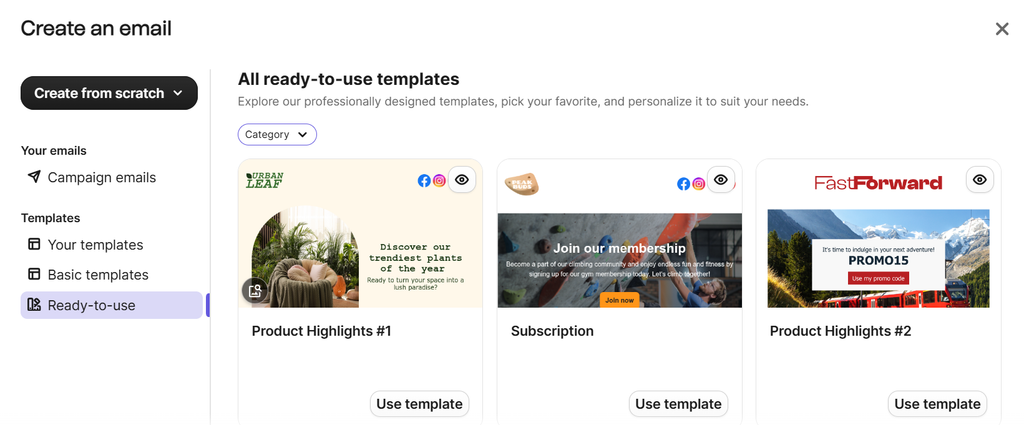
I created a regular test email campaign (A/B testing is also available on the paid plan). After filling in the details (sender, recipients, subject), I started to design the email template. Brevo comes with a mix of ready-to-use templates, which is great if you don’t feel like creating one from scratch.
In comparison to Mailchimp, where its better-looking templates sit behind a paid plan, Brevo has a smaller template library that’s available in full regardless of the plan.
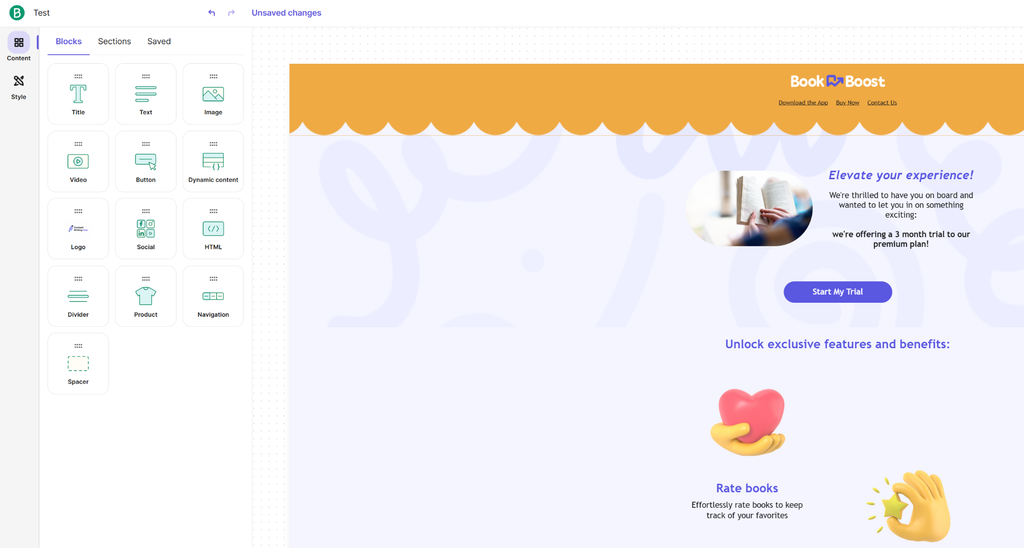
The drag-and-drop editor makes it easy to customize content and appearance. Aura, their AI assistant, can generate text and custom images for you. You can even set up a brand library to get your logo, font, etc., automatically applied to your brand elements.
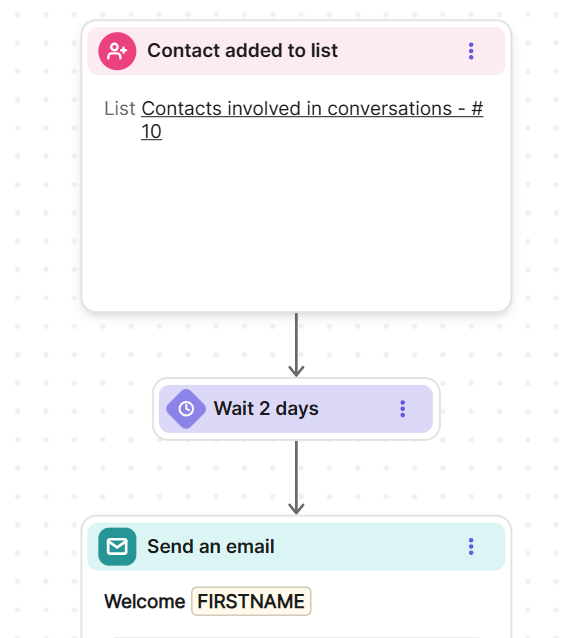
Automation follows the same pattern. Mailchimp doesn’t give you an automation at all on its free plan, not even a basic welcome email.
Brevo’s automation builder, by contrast, lets you trigger workflows off contact data and email engagement, and allows you to customize the email template. You can create an automation from scratch, use AI assistance, or choose one of the available pre-built automations.
Reporting covers the essentials such as opens, clicks, unsubscription rate, etc., and you can find it under Marketing → Statistics.
To get the full picture of your campaign and automation performance, there’s a dedicated space on Analytics which requires upgrading to a paid plan.
Brevo integrations cover the basics (Shopify, WooCommerce, Zapier, and more.), but Brevo’s marketplace is noticeably smaller than Mailchimp’s if you rely on niche tools.
Main Features
- Multichannel marketing automation (Email+SMS+WhatsApp campaigns)
- AI agents that help you optimize campaigns
- Humanized customer support available
- Basic & advanced reporting and analytics
- Drag-and-drop editor
- Transactional email
- A/B testing
- Landing pages
Where it Beats Mailchimp
Pricing model and unlimited contacts on every plan, plus native SMS and WhatsApp without needing a separate integration. Think about it this way. If you’ve got a list of 20,000 people but only email your most engaged 5,000 regularly, that difference alone can save you money every month.
Where Mailchimp is Better
Mailchimp’s ecommerce integrations and its library of pre-built templates are more comprehensive. Mailchimp’s interface is also less cluttered if all you want is straightforward email.
Pricing
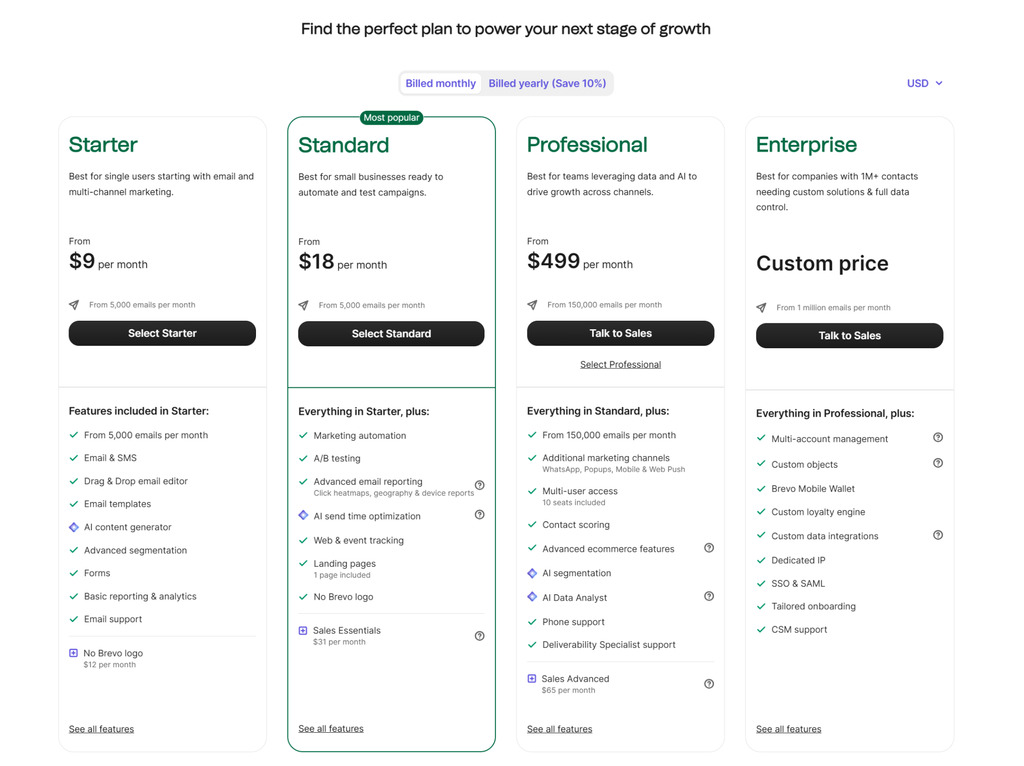
The Free plan covers 300 emails/day with unlimited contacts. Starter runs at $9/month and comes with 5,000 emails (no automation). Standard starts at $18/month and adds features like automation, A/B testing, and landing pages.
Professional starts at $499/month and is best for high-volume senders with advanced segmentation and WhatsApp campaigns built in. Enterprise plan is available too, upon request.
Pros
- Charges by email volume, not contact list size
- Multi-channel (email, SMS, WhatsApp, chat)
- AI features are included on every plan
Cons
- Automation is included, but starts at the Standard plan
- The all-in-one scope might require more time to adapt to the platform
- Professional plan pricing jumped sharply in 2026
Who it’s Best For
High-volume senders in need of a multichannel marketing tool that comes with affordable prices compared to other brands in the same industry.
Verdict
Brevo is the most well-rounded, lowest-friction swap for a typical Mailchimp user. It’s not the deepest automation builder, but it strikes a strong balance between features, ease of use, and price.
2. MailerLite
MailerLite is your go-to tool if you need to send simple newsletters without spending too much time learning the how-tos. This makes it a great platform for beginners, solopreneurs, freelancers, and small businesses.
My Experience Using It
Onboarding is fast, with clear blocks and minimal decision fatigue.
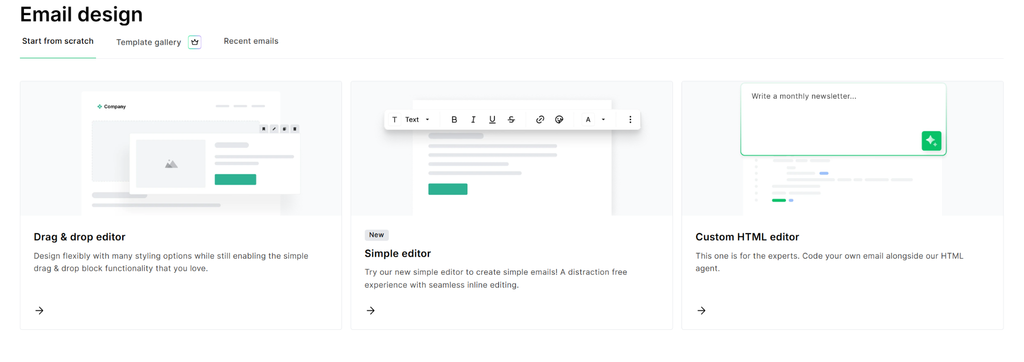
When creating a regular campaign, you’ll notice the options are minimal. You can choose between the drag-and-drop, simple editor, or custom HTML editor, while the template gallery is a premium feature.
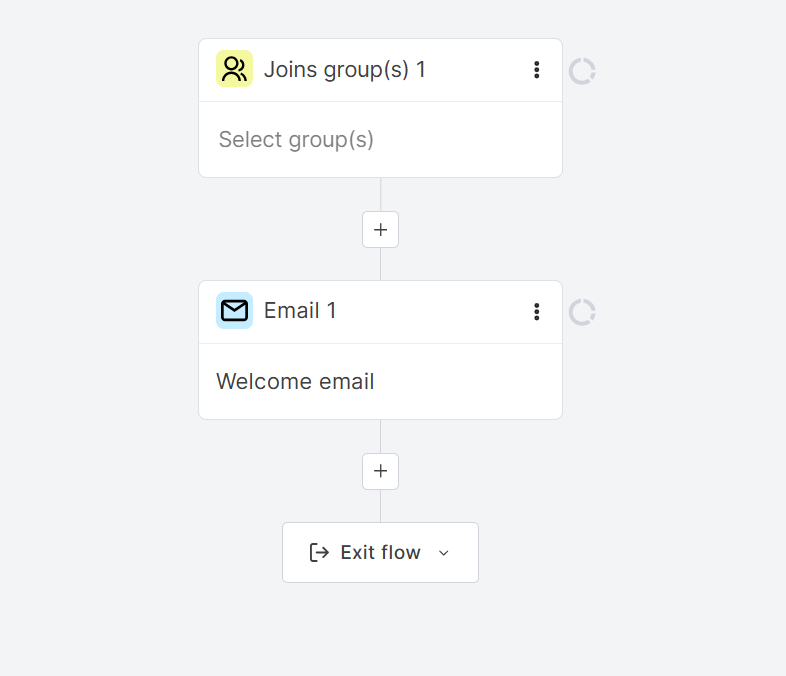
The automation builder is visual and easy to follow for standard sequences, though it doesn’t go nearly as deep as platforms like ActiveCampaign. The plus side is that welcome series, click-based tagging, simple follow-ups, etc., work without needing to upgrade first.
MailerLite organizes your entire subscriber database in one master list, while groups and segments act as the two main tools to filter your audience.
Adding new subscribers is straightforward. You’ve got a few options to do that, including importing from a CSV, copy-pasting them from Excel, or importing from Mailchimp.
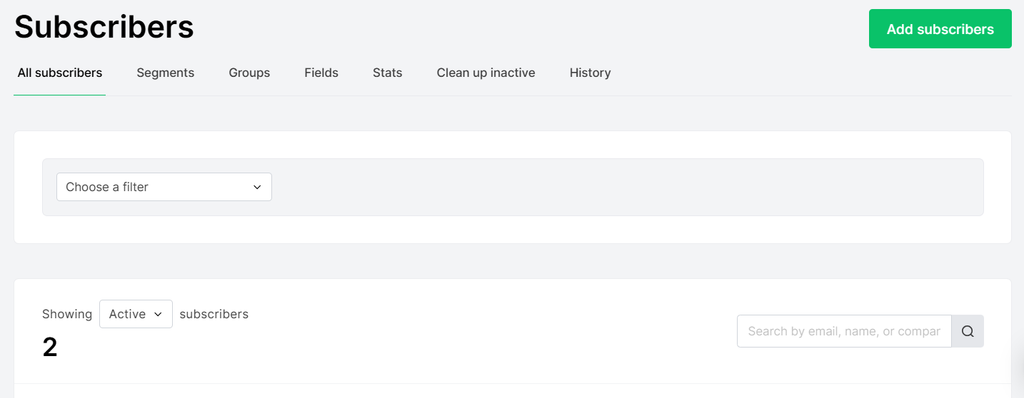
Integrations cover the common ground: Shopify, WooCommerce, Zapier, and the usual page builders. But the marketplace is smaller than Mailchimp’s, which can make a difference if you’re running a more complex stack.
There isn’t a dedicated Analytics space like the one in Brevo, and MailerLite’s reporting feels slightly vague. Once you schedule and send campaigns, you can check statistics collected from mailboxes under Campaigns > Sent.
Main FeaturesDrag-and-drop editor
- Basic automation builder
- Website builder & landing pages
- AI writing assistant (paid plan)
- Subscription preference center
- 100+ integrations
Where it Beats Mailchimp
Simpler list and segment management with no duplicate-contact billing. Also, a genuinely easier learning curve from sign-up to first campaign. Multi-step automation doesn’t require jumping to a specific paid trial the way Mailchimp’s does.
Where Mailchimp is Better
Mailchimp’s automation branching logic and its integration ecosystem, especially for ecommerce, are more developed. Mailchimp also offers phone support, which MailerLite doesn’t offer at any level.
Pricing
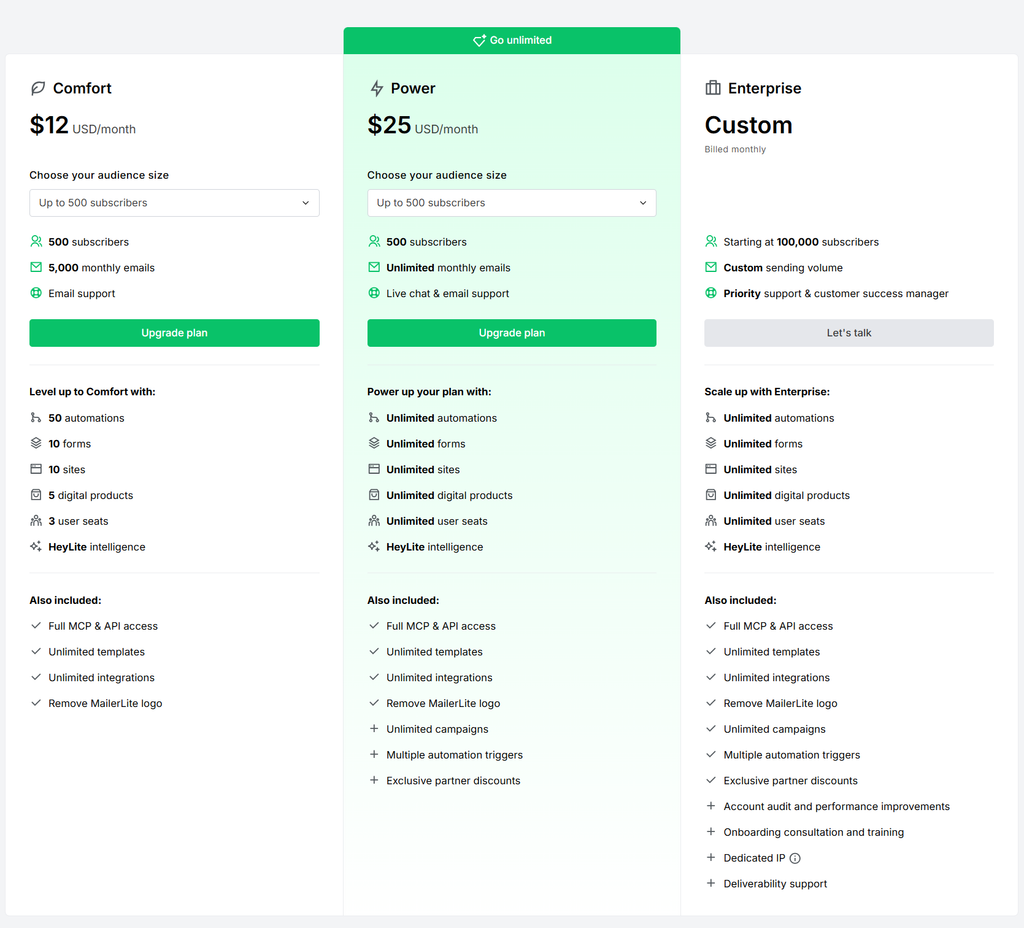
The Free plan covers 250 subscribers and 2,500 emails/month. The Comfort tier starts at $12/month and includes basic features (500 subscribers, 5,000 monthly emails).
The Power tier runs at $25/month, includes 500 subscribers, unlimited monthly emails, as well as unlimited use of other features like automations, forms, sites, etc. A Custom plan is available and includes 100,000 subscribers to start with.
Pros
- One of the easier interfaces to learn quickly
- Great value for money
- Free website with up to 5 landing pages (1 landing page on the free plan)
Cons
- Doesn’t come with advanced features
- No CRM functionality at all
- Reporting is functional but not deep
Who it’s Best For
Small businesses and solo marketers who want to be sending their first campaign within the hour.
Verdict
Still one of the easier platforms to learn, and good for creators who don’t want to spend a lot on an email marketing tool. However, not the best option if you’re looking for advanced email automation features.
3. ActiveCampaign
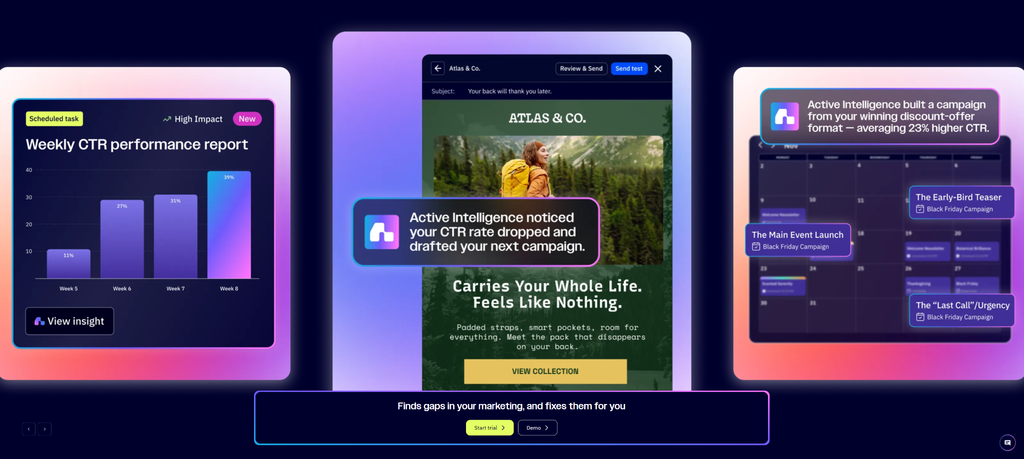
ActiveCampaign is aimed at users who’ve outgrown simplicity. It is one of the most capable automation and lifecycle marketing tools on the market, with a built-in CRM, lead scoring, and conditional content that adapts based on what a contact does.
My Experience Using It
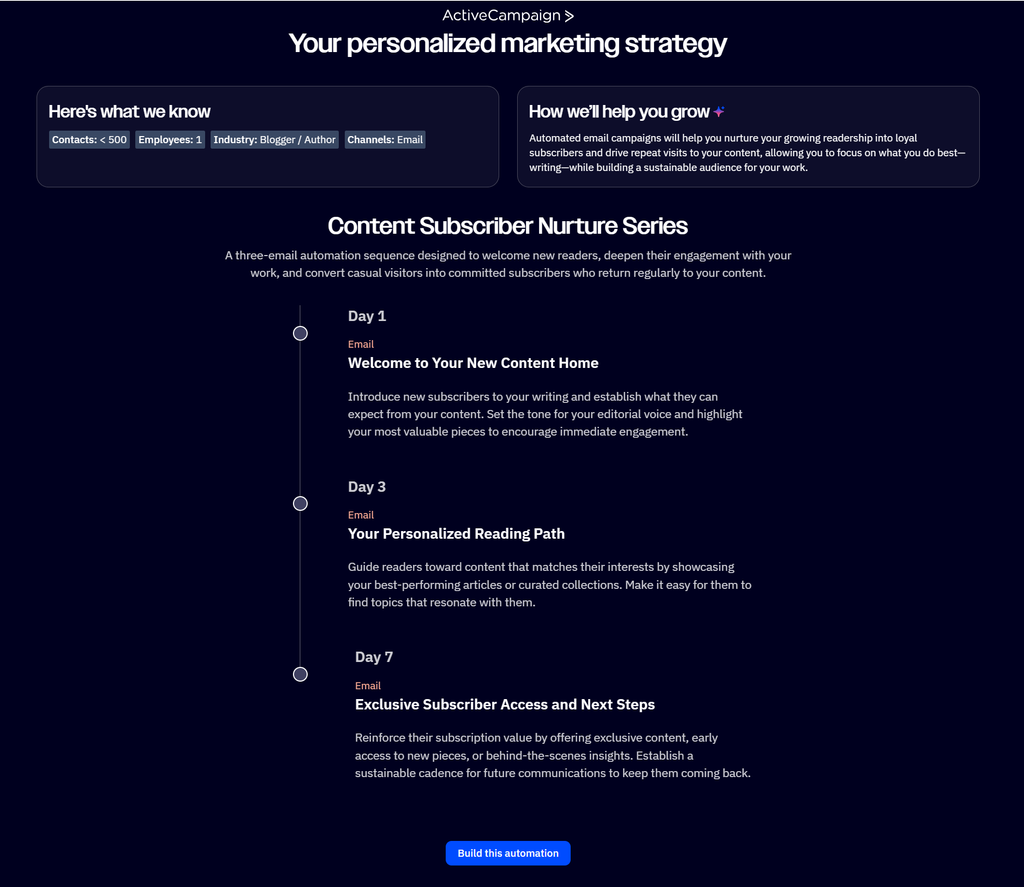
There’s no free plan, only a 14-day trial, and setting up an account takes longer compared to other tools. What I didn’t expect, though, was getting a personalized marketing strategy with a full automation workflow I could start building right away.
To add contacts, you’re given a few options. Either add them manually or import them from a CSV, Excel file, or integration.
The automation builder uses a visual, branching canvas (if/then splits based on email opens), site visits, purchase behavior, or CRM deal stage.
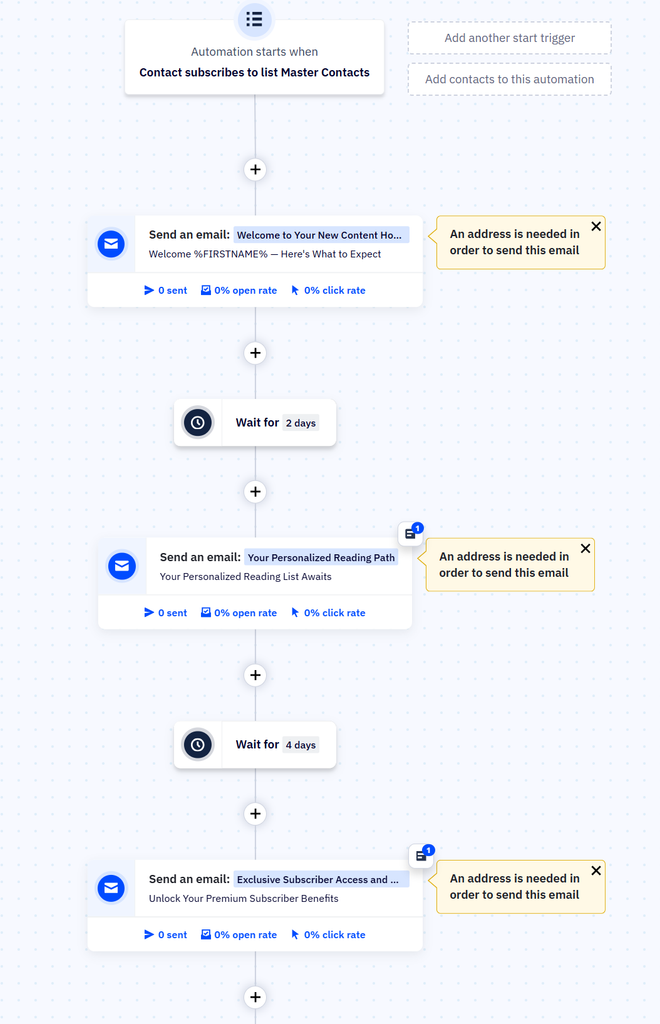
Workflows that would otherwise need two or three separate tools here are stitched together.
The built-in CRM is useful for automation, but it gets cumbersome once you’re managing a real volume of deals. If you have an actual sales team running a real pipeline, I’d pair ActiveCampaign with a dedicated CRM rather than leaning on this alone.
As an automation trigger source, though, it beats having no CRM at all, which is basically where Mailchimp leaves you.
Reporting is one step ahead of some of the brands mentioned in this list. You can even ask AI how your campaigns are doing, and get generated answers on their performance within seconds.
Alt: ActiveCampaign reports dashboard showing campaign performance metrics
The integration marketplace is large, and especially strong for sales and CRM tools like Salesforce, Pipedrive, and Shopify. It’s clearly more built for a revenue team than a solar marketer.
Main Features
- AI agents that handle tasks across channels
- Visual automation builder with deep conditional branching
- Native CRM and sales automation
- Predictive sending and content
- Advanced analytics
Where it Beats Mailchimp
Automation depth is not close. Mailchimp’s “Customer Journey Builder” covers basic branching; ActiveCampaign’s automations can incorporate CRM deal stages, custom objects, and predictive content in ways Mailchimp doesn’t attempt.
Where Mailchimp is Better
Price at the very entry level, and simplicity. If you only need to send occasional newsletters, ActiveCampaign is more tool than you need, and Mailchimp will get you there faster.
Pricing
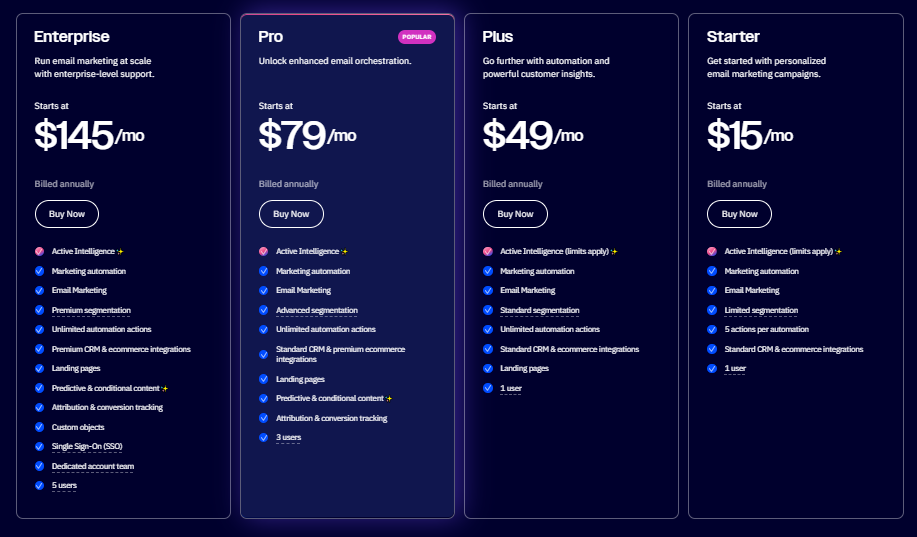
No free plan. You get a 14-day free trial, and signing up doesn’t require credit card information. Starter begins around $15/month (billed annually; 1,000 contacts). Plus, which adds extra features, starts around $49/month.
Pro adds even more advanced features and comes in at $79/month, and Enterprise starts around $145/month. All tiers scale up with contact count, and the jump between tiers as your list grows can be steep.
Pros
- One of the deepest automation and segmentation logic
- CRM and marketing automation genuinely well-combined
- Strong third-party integration ecosystem
Cons
- No free plan, only a free trial
- Contact-based pricing that climbs quickly as your list grows
- Steeper learning curve
Who it’s Best For
Growing SaaS companies, agencies, and any business running multi-step lifecycle campaigns that need behavior-based logic.
Verdict
Consider ActiveCampaign if automation is the reason you’re leaving Mailchimp. Not the cheapest alternative, and not the easiest, but the most capable.
Also check: How ActiveCampaign compares to HubSpot
4. Omnisend
Omnisend was built from day one around online stores, and it shows the moment you connect a Shopify or BigCommerce account. The product data, order history, and browsing behavior become available inside campaigns and automations. They don’t require a separate integration step.
My Experience Using It
Setup required a few extra steps apart from the email, and in order to start with automation, you need to connect your store first.
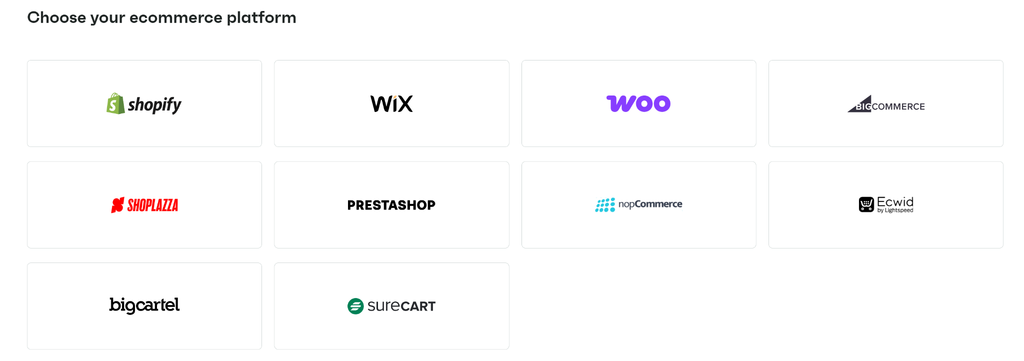
After this step, pre-built automation templates for cart abandonment, browse abandonment, welcome series, and post-purchase flows are ready to customize.
To customize your campaign, you can choose from the available template library.
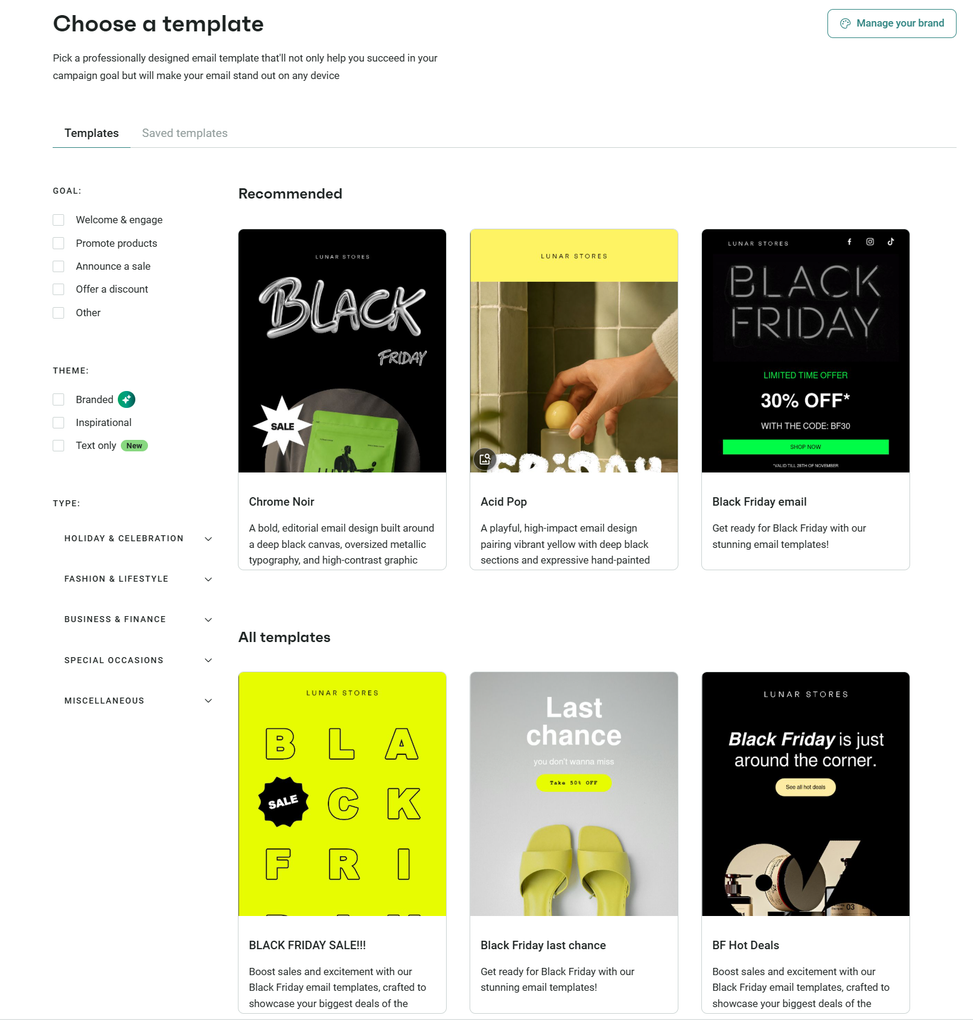
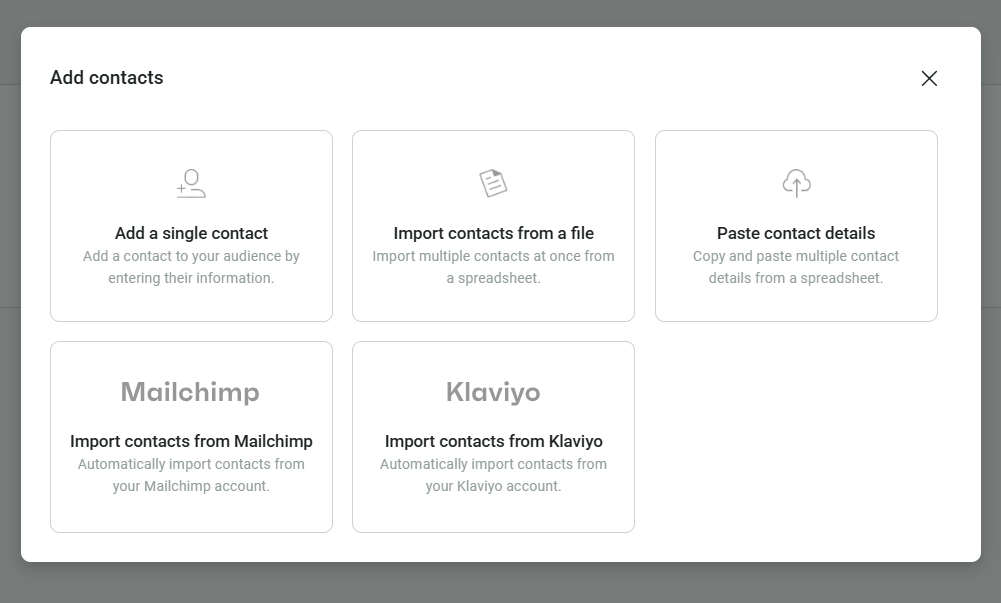
The experience with adding or updating contacts felt the same as with other tools. You’ve got a list of alternatives to import contacts from.
Reporting is solid on the metrics that matter for a store specifically, revenue per campaign, automation performance, etc., though it can be less useful if you need broader marketing analytics outside of ecommerce. An AI assistant is available to help you make sense of your statistics.
Image library and brand assets are the 2 new available features. I particularly like the brand assets, which store your business’s visual identity, so the platform can apply them to your email campaigns and forms.
Omnisend Product Feature is also a standout feature. It lets you drop live product blocks straight into an email or SMS without manually pasting links and images. SMS and web push are folded into the same automation builder as email, so a single workflow can move a customer from an email nudge to an SMS reminder.
Main Features
- Email+SMS+web push in unified workflows
- Pre-built ecommerce automation templates
- Product recommendation blocks
- Real-time segmentation based on purchase and browsing behavior
Where it Beats Mailchimp
Depth of ecommerce-specific automation is integrated into every campaign. SMS and push are included in the same workflow builder as email, rather than a paywalled add-on the way Mailchimp treats SMS.
Where Mailchimp is Better
If you’re not running a store, Omnisend’s whole design philosophy is wasted on you; Mailchimp will serve general audiences better. Mailchimp’s non-e-commerce template library is also broader, and its integration marketplace is considerably bigger.
Pricing
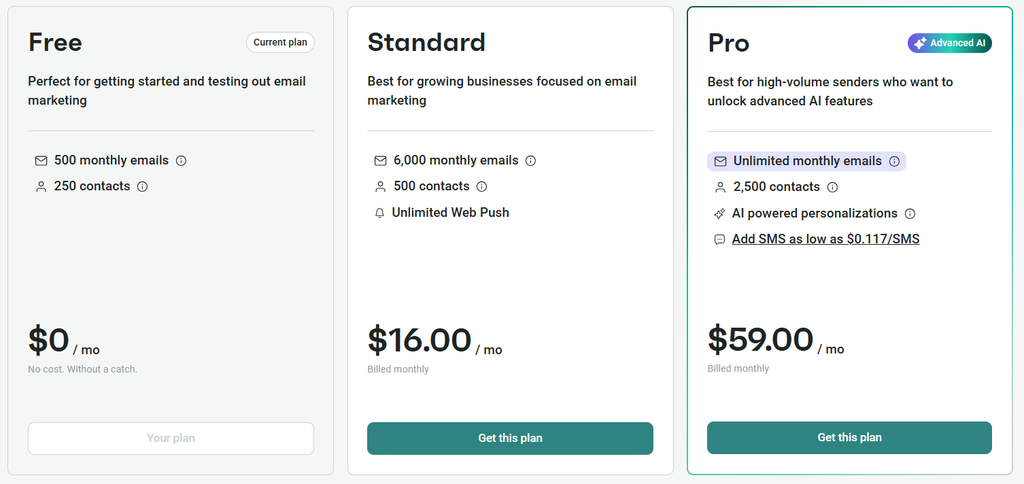
The Free plan covers 250 contacts and 500 emails/month, useful mainly for testing. The Standard plan starts at $16/month for 500 contacts and unlimited Web Push. Pro starts at $59/month and adds AI-powered personalization and SMS.
Pros
- Native, deep Shopify/BigCommerce/WooCommerce integration
- Cart abandonment, browse abandonment, and post-purchase flows ready out of the box
- Email, SMS, and push managed in one workflow builder
Cons
- Free plan is thin, useful for testing only
- Not worth considering if you’re not selling physical or digital products
- SMS costs are variable and can add up depending on volume and destination
Who it’s Best For
Ecommerce brands on Shopify, BigCommerce, or WooCommerce who want cart recovery and post-purchase automation without stitching together multiple tools.
Verdict
The strongest ecommerce-first alternative on this list for small-to-mid stores. Not worth it if you need integrations that aren’t dedicated to ecommerce.
5. Kit
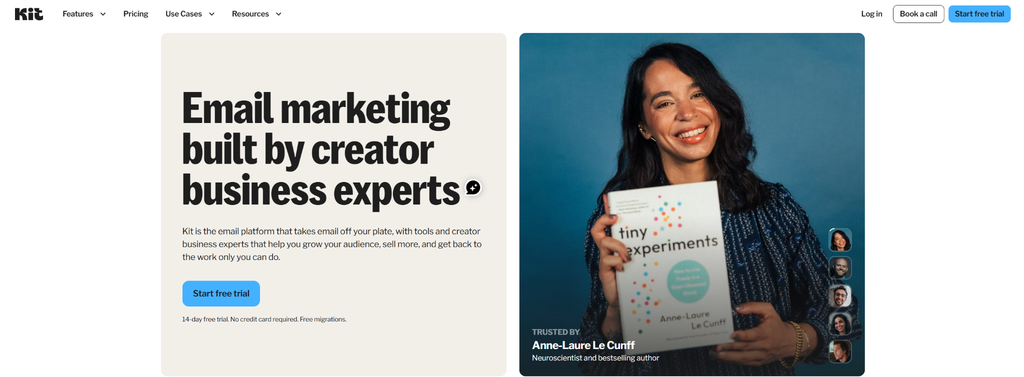
Kit (formerly known as ConvertKit) is one of the most-creator native alternatives, and its free plan is the most generous on this list by a wide margin. Up to 10,000 subscribers, free, before you’re asked to upgrade.
My Experience Using It
Kit differs from Mailchimp’s list-based model. It keeps a single subscriber record and lets you organize with tags and segments.
That changes how naturally you can build sequences without duplicate contacts.
Templates are plain. Kit’s position is that creator emails perform better looking like a personal note than a polished campaign, which is worth knowing if you want highly designed HTML emails.
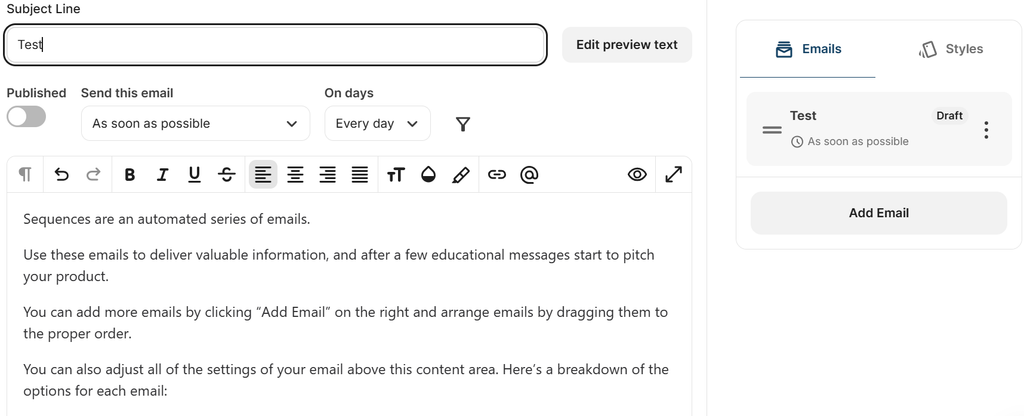
Contact management works differently as well. Everything is tag-based rather than list-based, so a subscriber can carry multiple tags without ever needing to sit in a separate list.
There’s no dedicated AI writing assistant, which can slow down the process of creating subject lines or first drafts if you’re used to leaning on one.
Automation is only available through a paid plan, something that can potentially be a deal breaker if you need a free tool that covers it instead.
Integrations are solid for the tools creators use. They are, however, noticeably thinner if you need typical marketing-stack integrations like a CRM or platform.
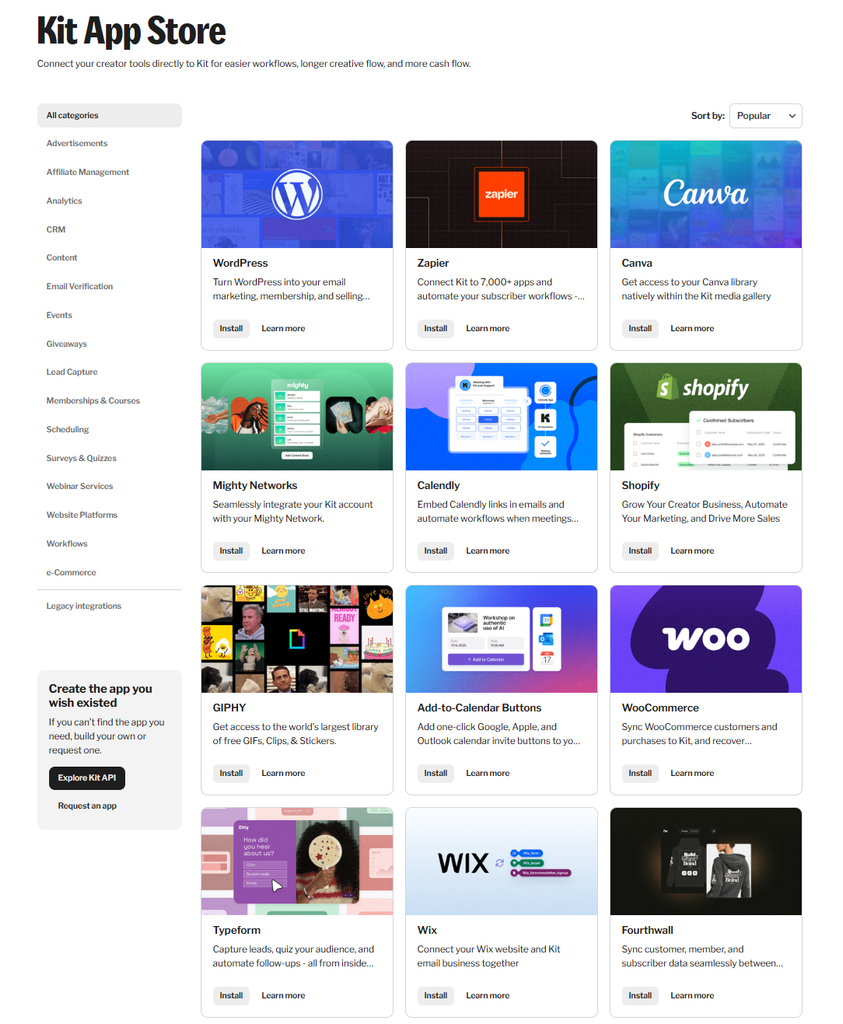
Reporting covers the basics, well enough for most newsletter writers, but you can unlock deeper analytics through the Creator and Pro plans.
Main Features
- Visual automation builder
- Landing pages and forms
- Tagging-based segmentation
- Creator Network for cross-promotion with other newsletters
- Built-in digital product
- Paid-subscription commerce
Where it Beats Mailchimp
The free plan size (10,000 subscribers vs. Mailchimp’s 250) is not a close contest, and the creator commerce tools (selling digital products, paid newsletter tiers) go well beyond what Mailchimp offers natively.
Where Mailchimp is Better
Design flexibility for highly branded, visually rich campaigns, and broader e-commerce integrations for physical-product sellers.
Pricing
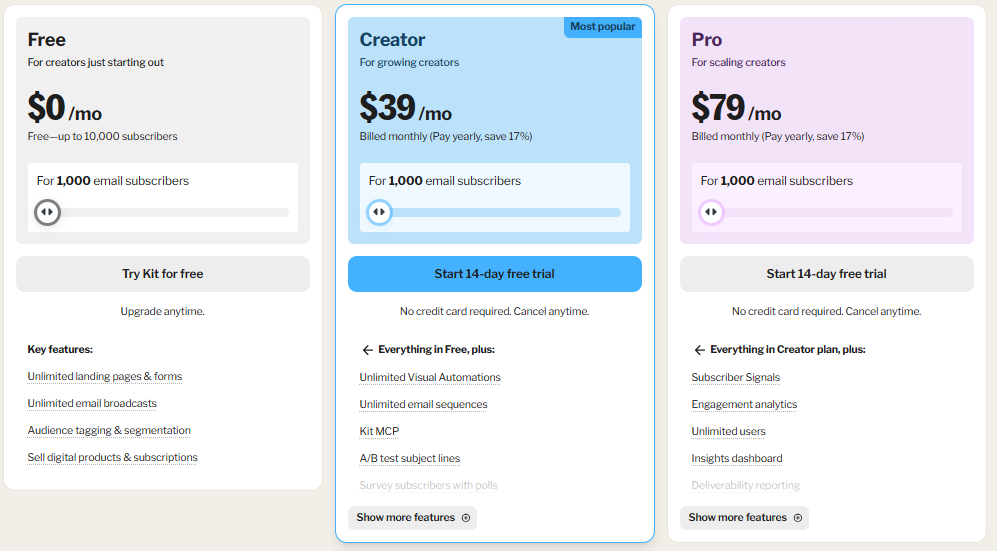
The Free plan covers up to 10,000 subscribers with unlimited broadcasts, forms, and landing pages, though without full visual automation sequences. Creator plan starts at $39/month ($33/month billed annually), and the Pro plan starts at $79/month.
Pros
- Generous free tier
- Built-in monetization
- Tag-based subscriber model avoids duplicate-contact-across-lists problem
Cons
- Free plan doesn’t include full automation
- Limited features compared to other platforms
- Templates are plain
Who it’s Best For
Newsletter writers, creators, and anyone monetizing an audience directly.
Verdict
The best free Mailchimp alternative for anyone building an audience before selling products directly, and a strong paid option once you’re monetizing.
6. Klaviyo
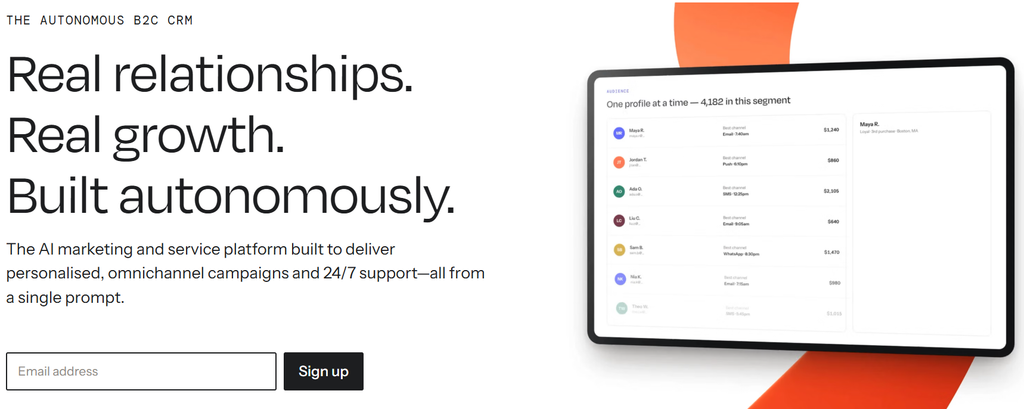
Klaviyo is the platform most scaling DTC brands eventually gravitate toward. Its segmentation, built on granular purchase and browsing data, is about as sophisticated as email/SMS marketing gets.
My Experience Using It
The free plan is easy to set up and connects to Shopify in a few clicks. Once you start building segments, Klaviyo lets you combine purchase history, browsing behavior, and predicted lifetime value into a single condition.
The flow templates (cart abandonment, browse abandonment, post-purchase, win-back) are polished and easy to customize.
It especially stands out for its advanced analytics and easy integrations with ecommerce platforms.
Main Features
- Deep behavior-and purchase-based segmentation
- Multi-channel marketing automation
- AI-driven predictive analytics
- 350+ integrations
Where it Beats Mailchimp
Segmentation is granular and well beyond what Mailchimp offers.
Where Mailchimp is Better
Cost, once your list grows. Klaviyo also has a real learning curve that smaller teams may not need to take on.
Pricing
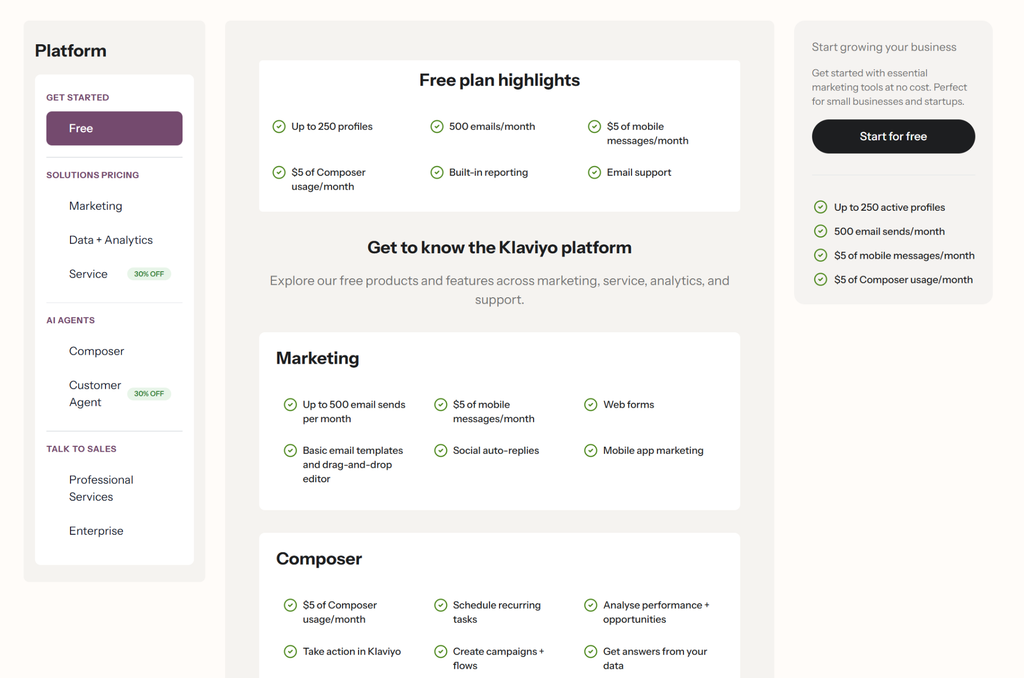
The Free plan covers up to 250 active profiles (500 email sends, 250 SMS credits/month). Paid Email plans start at around $20/month and scale by active profile count.
Note that Klaviyo bills on every reachable profile, not just the ones you email, which has caught some users off guard since a 2025 billing change.
Pros
- E-commerce segmentation and predictive features
- Strong SMS integration built natively
- Flow templates that are ready to use
Cons
- Bills on total reachable profiles, not send volume
- Steeper learning curve
- Overkill if you’re not running an active e-commerce store
Who It’s Best For
For established and fast-scaling e-commerce brands that need granular, purchase-data-driven segmentation, Klaviyo is a good fit.
Verdict
The most powerful e-commerce personalization engine here, worth the cost and learning curve once your store has outgrown basic segments.
7. HubSpot
HubSpot is one of the most popular marketing automation software in the market. Its email marketing lives inside the same system as your CRM, sales pipeline, and customer service.
This makes it more than just an email marketing tool; it’s your go-to spot if you’re looking for an all-in-one solution, rather than just automating emails.
My Experience Using It
The free CRM is easy to set up. Moving into Marketing Hub Starter for email campaigns is also a smooth step, but the real automation and reporting live behind the much pricier Professional tier.
The interface itself is polished and consistent across the HubSpot ecosystem.
Main Features
- Marketing automation
- Landing pages
- Forms
- Email connected to HubSpot’s CRM
Where it Beats Mailchimp
If sales and marketing need to see the same contact timeline, deal stage, and activity history, HubSpot does this in a way Mailchimp, built purely for email, cannot.
Where Mailchimp is Better
Price, dramatically. The free CRM is useful, but the jump from Starter ($20/seat/month) to Professional ($890/month) is one of the steepest tier cliffs on this list.
Pricing
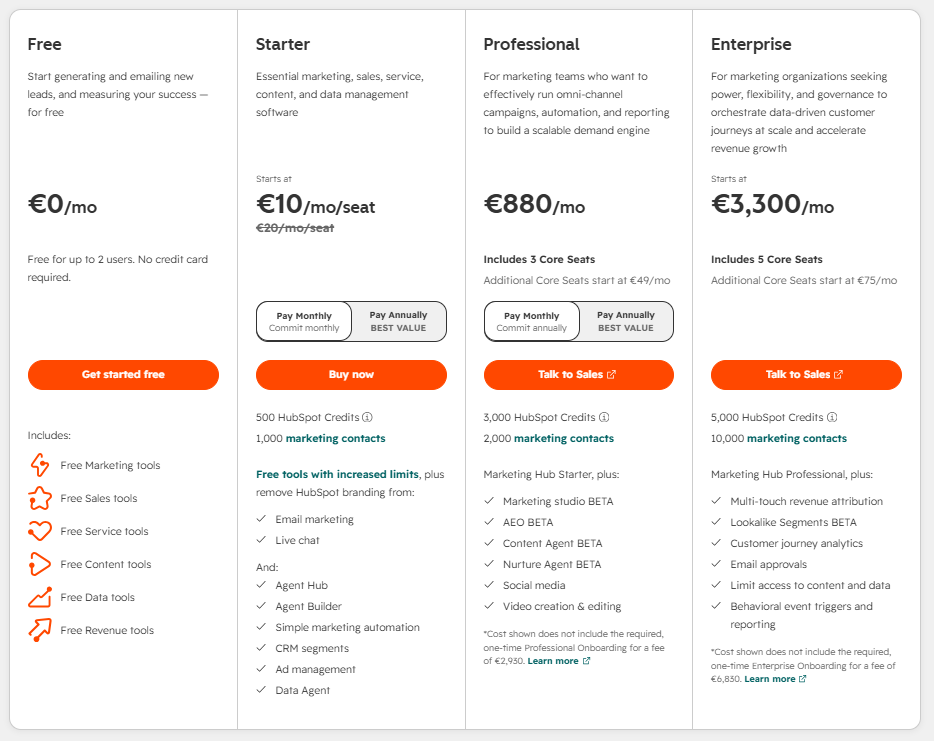
Free CRM tools available indefinitely. Starter runs at $10/month for 1,000 marketing contacts with light automation.
Marketing Hub Professional runs at $880/month for 2,000 contacts and 3 core seats (+ $ 2,930 onboarding fee), unlocking advanced features. Enterprise starts at $3,600/month.
Pros
- Best-in-class CRM/marketing alignment
- Free CRM tier
- Consistent interface across the whole product suite
Cons
- The Starter-to-Professional price gap is roughly 40x
- Onboarding fees at Professional add real upfront cost
- Marketing automation requires the Professional tier cost to be usable
Who It’s Best For
Companies where sales and marketing need to share one system, and to whom budget isn’t limited.
Verdict
The strongest choice if you want marketing and sales in one place, and can afford the advanced plans.
8. GetResponse
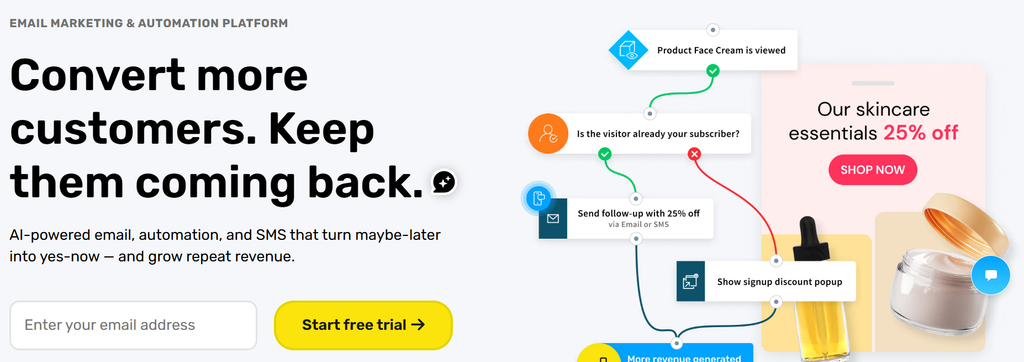
GetResponse bundles email marketing with landing pages, conversion funnels, and, unusually for this category, live and automated webinars. All under one login.
My Experience Using It
The campaign builder feels closer to Mailchimp’s than most other tools here, which makes it an easy lateral move if you don’t want to relearn much. The webinar and funnel tools are the real differentiator.
They’re built in, and setting up a simple registration-to-webinar-to-follow-up funnel doesn’t take much time.
Main Features
- Email marketing with unlimited sends on paid plans
- Funnel builder
- Webinar hosting
- Ecommerce tracking
- Abandoned-cart triggers
Where it Beats Mailchimp
If you’re paying for a separate webinar platform or landing page tool alongside Mailchimp, GetResponse folds all that into one subscription.
Where Mailchimp is Better
GetResponse’s plan structure is more complex to parse (multiple named tiers, each priced across different contact-count bands), and Mailchimp’s ecommerce integrations are more mature for online stores.
Pricing
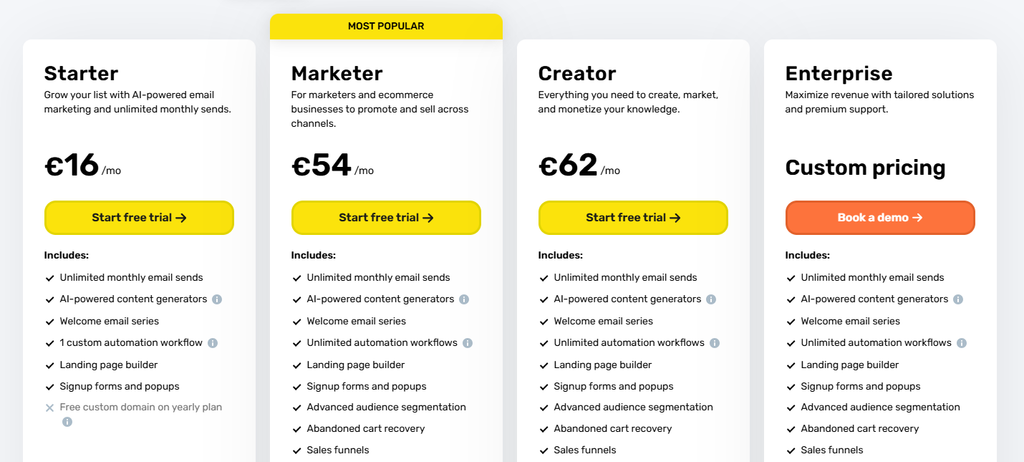
A limited Free plan is available. The Entry paid tier starts at €16/month, the Marketer plan at €54/month, and the Creator plan at €62/month. Enterprise is available, and you need to book a demo to get pricing offers.
Pros
- Useful bundled webinar and funnel tools
- Unlimited sends on paid plans
- Campaign builder feels familiar if you’re coming from Mailchimp
Cons
- Plan and pricing structure takes effort to parse
- Costs climb quickly at largest list sizes
- Webinar tools, while useful, aren’t as deep as dedicated platforms
Who It’s Best For
Creators, coaches, and B2B Marketers who run webinars regularly and want that folded into their email platform.
Verdict
A smart consolidation play if you’re already paying for an email marketing + webinar/funnel tool.
9. Moosend
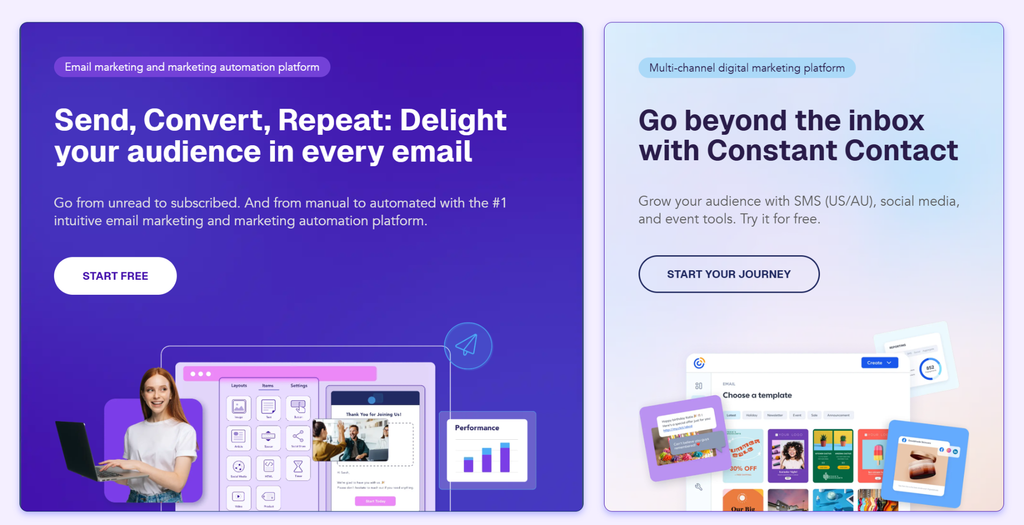
Moosend’s pitch is simple: one main paid plan, priced by contact count, that essentially unlocks the full feature set. There’s no gating advanced automation behind a pricier tier.
My Experience Using It
The trial gives full access to Pro features rather than a stripped-down taste, which makes it easy to test the automation builder and AI writing assistant properly.
The interface is less polished than Brevo or MailerLite; it feels more utilitarian, but everything needed to build a real automated sequence is there.
Main Features
- Unlimited email sends
- Marketing automation
- Landing pages
- Forms
- AI writing assistant
Where it Beats Mailchimp
At small list sizes, Moosend is cheaper for a comparable (arguably better) feature set, and you’re not paying more to unlock automation the way you are with Mailchimp’s Essential-to-Standard jump.
Where Mailchimp is Better
Brand recognition, template library breadth, and the fact that Mailchimp has a forever-free plan.
Pricing
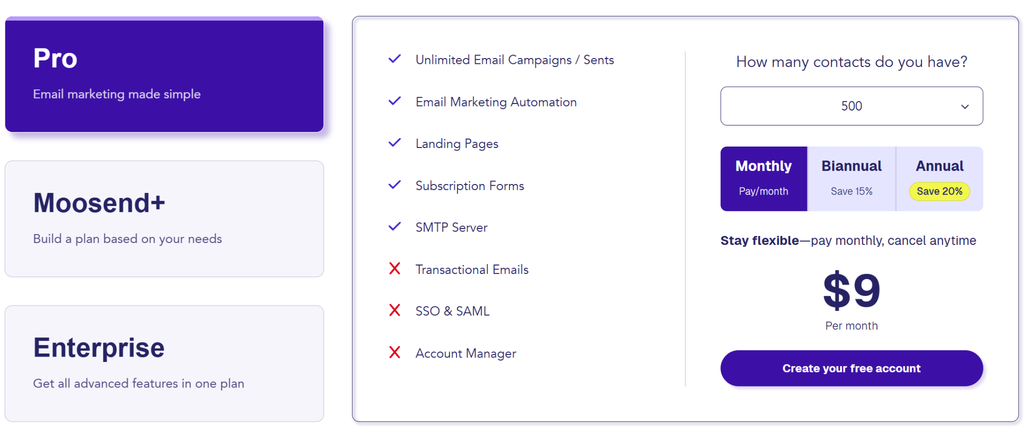
No permanent free plan; a 30-day trial covers up to 1,000 contacts with full Pro features. Pro pricing starts at $9/month for 500 contacts and scales with list size, with unlimited sends and full automation included throughout. Moosend+ and Enterprise are both custom-based.
Pros
- Full feature set unlocked from the cheapest paid tier
- Simple, predictive contact-based pricing
- Trial gives full access rather than a limited taste
Cons
- No forever-free plan as of 2026
- Interface feels less polished than other brands mentioned here
- Smaller integration ecosystem than Brevo, ActiveCampaign, or HubSpot
Who It’s Best For
Budget-conscious small businesses that want automation without paying extra to unlock it.
Verdict
The best value pick if you’re past the free-plan stage; you just won’t get a forever-free option to fall back on.
10. Beehiiv
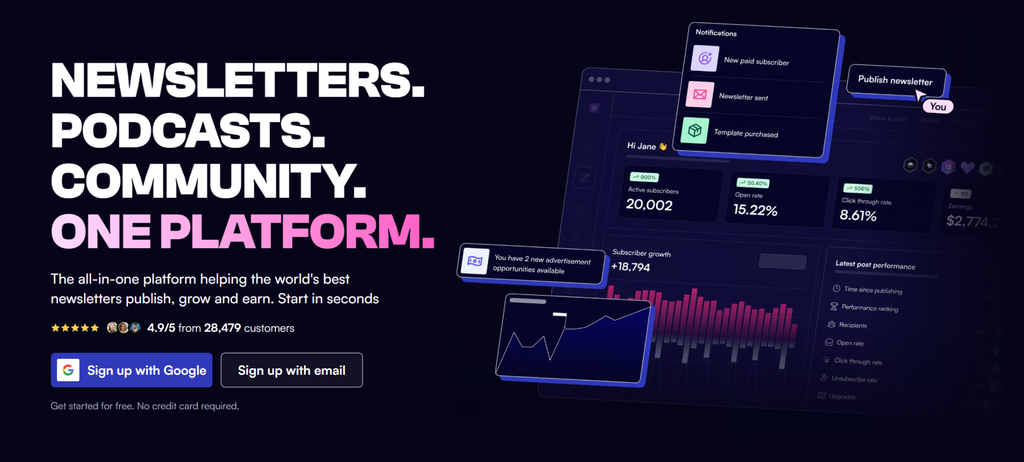
Beehiiv has built a real name for itself among newsletter publishers largely because it treats monetization, referral growth, and advertising as core features.
My Experience Using It
The editor is clean and clearly built for text-forward newsletters rather than heavily designed marketing emails. The built-in referral program and ad network sign-up are simple to activate.
This is the part of beehiiv that doesn’t have an equivalent on this list, and the whole platform is designed around growing and monetizing a publication.
Main Features
- Unlimited sends on every plan
- Free, built-in referral program
- Ad network/marketplace for newsletter monetization
- Paid subscription tools and audience automation
Where it Beats Mailchimp
Monetization and audience-growth tooling. Mailchimp has no real equivalent to beehiiv’s ad network or native referral program.
Where Mailchimp is Better
If you need broad marketing automation for a business rather than a newsletter specifically, ecommerce integrations, funnel building, general segmentation, Mailchimp is the better-fit tool.
Pricing
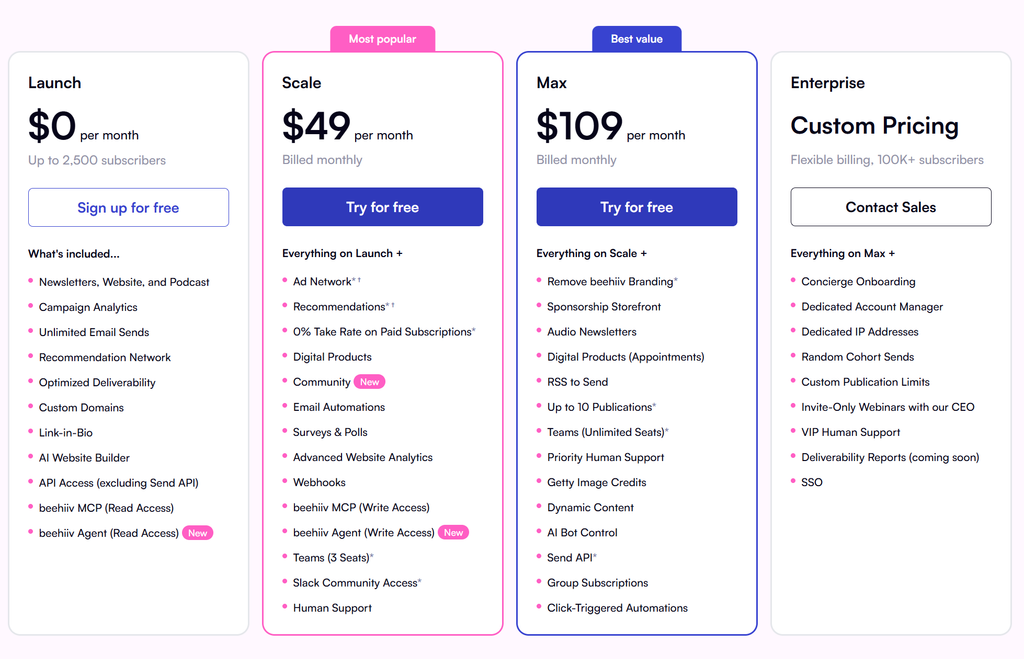
Launch (free) covers up to 2,500 subscribers with unlimited sends and core analytics. Scale starts at $49/month (billed monthly) and unlocks additional features. Max starts at $109/month. Enterprise pricing applies above 100,000 subscribers.
Pros
- Useful free tier for testing a newsletter idea
- Strong native monetization tools
- Editor and workflow purpose-built
Cons
- Narrowly built for newsletters
- Design flexibility is more limited than a general email tool
- Monetization tools are locked behind paid tiers
Who It’s Best For
Independent newsletter writers and media publishers planning to monetize through subscriptions, advertising, or both.
Verdict
The clear choice if you’re building a newsletter as a business rather than a marketing channel.
Final Recommendation: Which Mailchimp Alternative Should You Choose?
The best choice depends on what’s pushing you away from Mailchimp in the first place. In short, this is how I would categorize each platform:
- Best by budget: Brevo or Moosend
- Best by ease of use: MailerLite
- Best free Mailchimp alternative: Kit
- Best for automation: ActiveCampaign
- Best for ecommerce: Omnisend or Klaviyo
- Best for creators/newsletters: Kit or Beehiiv
- Best CRM+email alternative: HubSpot Marketing Hub
- Best by bundled tools: GetResponse
While each platform has strengths, the easiest way to understand differences in automation limits, pricing tiers, and integrations is through an email marketing tools comparison that visualizes the key trade-offs.
FAQs
What is the best Mailchimp alternative?
For most people, Brevo is the strongest general-purpose replacement. It charges you for contacts you barely email, and adds SMS and WhatsApp without extra tools. If your priority is automation, ActiveCampaign is the champ!
What is the best free Mailchimp alternative?
Kit, by a wide margin, thanks to its 10,000-subscriber free tier. If you specifically need free automation, MailerLite’s small free tier or Omnisend’s ecommerce-focused free plan are the next options to check.
What is the best Mailchimp alternative for ecommerce?
Omnisend for most small-to-mid stores, thanks to how tightly product data is integrated into campaigns and automations. Klaviyo for brands that need deeper, purchase-history-driven segmentation.
What is the best Mailchimp alternative for creators?
Kit, both for the free tier size and the built-in monetization tools. Beehiiv is the sharper choice specifically if advertising and referral-driven growth are central to your newsletter’s business model.
Are there good AI alternatives to Mailchimp?
Most platforms on the list now include some AI functionality, subject line generation, writing assistance, etc., rather than one tool leading on AI alone.
Brevo, MailerLite, and Kit all include AI writing help even on lower-cost plans, while ActiveCampaign’s “Active Intelligence” leans more toward predictive automation and content.
How I test these Mailchimp alternatives?
I signed up for their free plans/trials for the top alternatives to test their main features hands-on, and for the second 5 alternatives, I combined simple testing with user reviews.